
Key Takeaways
- Delivery needs one control center: Dine-in, pickup, direct delivery, and third-party orders can overwhelm teams when they live in separate tools.
- Automation reduces rush-hour errors: POS, kitchen, payment, and delivery sync helps staff avoid manual re-entry and duplicated work.
- Commission-free direct ordering protects margins: Restaurants can keep more revenue when orders come through their own website or branded ordering platform.
- Customer data should stay with the restaurant: Direct ordering gives operators access to order history and customer behavior that can support smarter promotions.
- Visibility improves operations and customer experience: Track orders, drivers, and delivery times in real time; reduce errors, make faster decisions, and keep customers informed.
- Scalability matters as restaurants grow: Multi-location teams need centralized control over menus, delivery zones, tax rules, fees, and reporting.
- Brand control shapes the guest experience: Custom domains, branded apps, and white-label tracking pages keep the restaurant—not a marketplace—front and center.
- Integration saves time and cost: Seamless connections with POS, payment, and delivery partners eliminate manual entry, improve accuracy, and lower operational overhead.
If you run a busy restaurant today, you've likely seen how service has changed. A single evening now blends dine-in guests with a steady stream of online orders.
The kitchen screens light up with incoming requests from your website, third-party apps, and phone-ins. New tickets print every few minutes as the team works hard to keep pace. Meanwhile, delivery drivers line up at the counter waiting for pickups.
This scene is common across the United States. According to a 2025 DoorDash survey, 47% of Americans reorder restaurant meals for home delivery at least once a week. And with ordering apps just a tap away, the sheer volume adds real strain to the way operations run.
That is where restaurant delivery management software becomes more than an operational tool. For restaurants trying to protect margins, keep orders organized, and own the customer relationship, the right system can turn delivery from a daily scramble into a controlled growth channel.
For a single-location restaurant, that may mean fewer missed orders and less manual re-entry. For a growing multi-location group, it may mean managing menus, delivery zones, fees, and customer data from one place instead of stitching together separate dashboards for every store. This guide explains what restaurant delivery management software does, how it works, and which features matter most when restaurants want more control over delivery.
What Is Restaurant Delivery Management Software?
Restaurant delivery management software gives every delivery order one place to land. Instead of staff checking a POS screen, third-party tablets, phone tickets, and driver messages separately, the system connects those steps into one workflow.
That workflow usually covers order capture, kitchen routing, driver assignment, customer notifications, delivery tracking, and reporting. When those pieces stay connected, restaurants can move faster without losing visibility during busy service windows.
It is worth clarifying where delivery management software fits in the restaurant tech stack. A POS system records transactions and manages in-store operations. An online ordering platform captures orders from a restaurant's website or app. A third-party marketplace like DoorDash or Uber Eats handles both ordering and delivery through its own ecosystem. Delivery management software sits above all of these — it connects those channels, routes orders to the kitchen, manages drivers, and tracks the full fulfillment cycle from placement to doorstep.
How Restaurant Delivery Management Software Works
The delivery process moves through a series of coordinated steps. Each one builds on the last — and when any step breaks down, the impact shows up as a late delivery, a wrong order, or a frustrated customer.
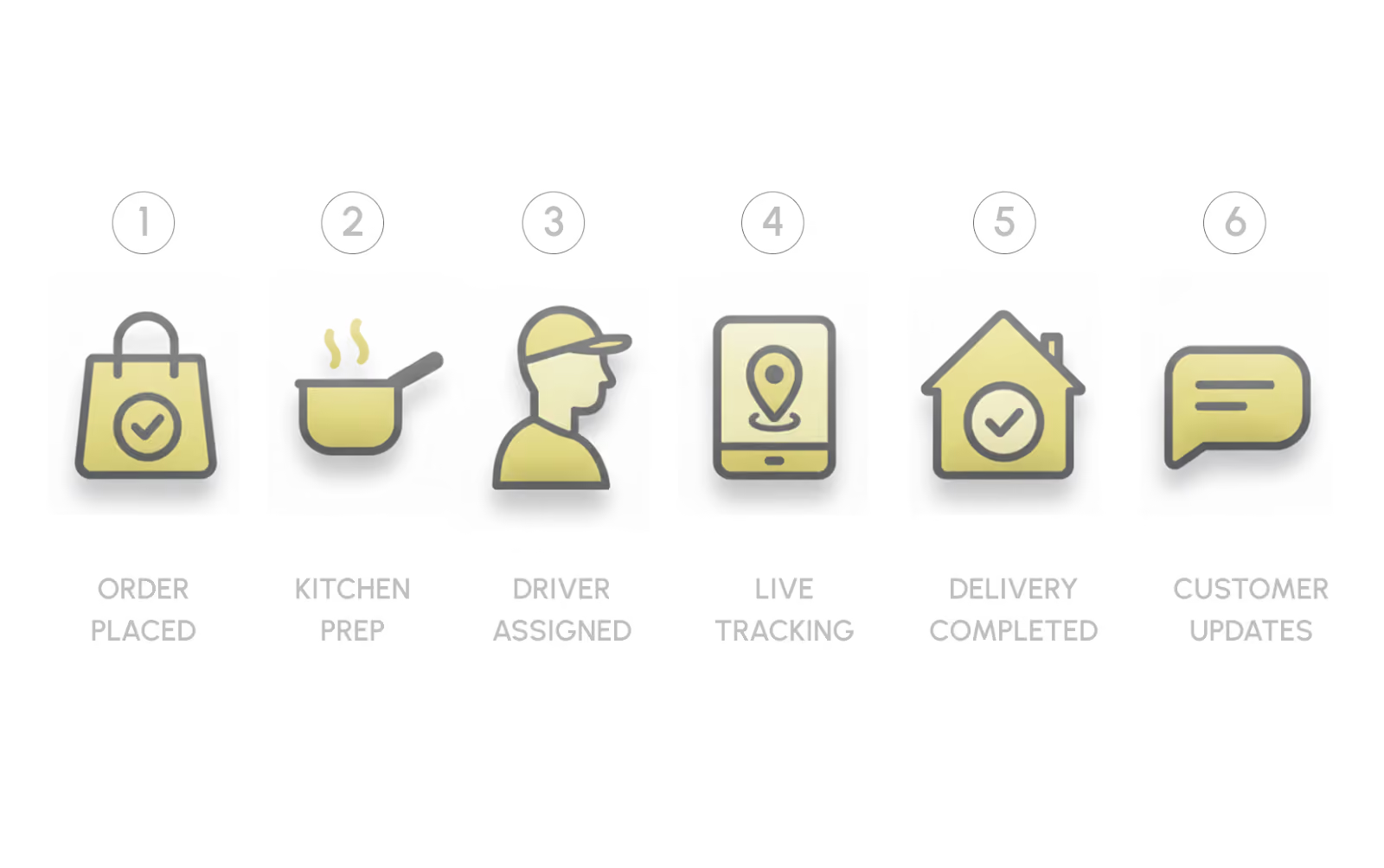
1. Multi-Channel Order Capture
Regardless of where the order originates — your website, a third-party app, or a phone call — the restaurant delivery management software centralizes all incoming orders into one dashboard and places them in a queue.
Each order is labeled by type — delivery, curbside, pickup — and displayed with key details, including preparation time and any special instructions. The system then synchronizes with your POS in real-time to validate menu items, pricing, and stock levels.
Your team can review, confirm, or modify orders from the same screen. That matters because the alternative — checking multiple tablets and screens during a Friday dinner rush — is where missed modifiers and duplicate tickets start to appear.
2. Orders are routed to the kitchen
Once the order is accepted, it is sent directly to the Kitchen Display System (KDS) or printer with the exact line items and prep notes.
Once the ticket reaches the KDS, the kitchen can move without waiting for a staff member to re-enter details. As each item is completed, the order status updates across the system, giving managers and delivery staff a live view of what is ready and what still needs attention.
3. Driver Assignment and Dispatch Management
After the food is prepared, the restaurant delivery management software moves into dispatch. For in-house drivers, the system displays who is currently available and suggests assignments based on proximity, delivery address, and current workload.
The driver receives the order details, route, and ETA data on their mobile device. If a driver gets delayed or volume spikes in a particular zone, routes can be reassigned or redistributed within the system without manual intervention.
Alternatively, if a restaurant relies on third-party delivery services, the software transmits the order to the selected partner — DoorDash Drive, Relay, or Uber Direct — automatically.
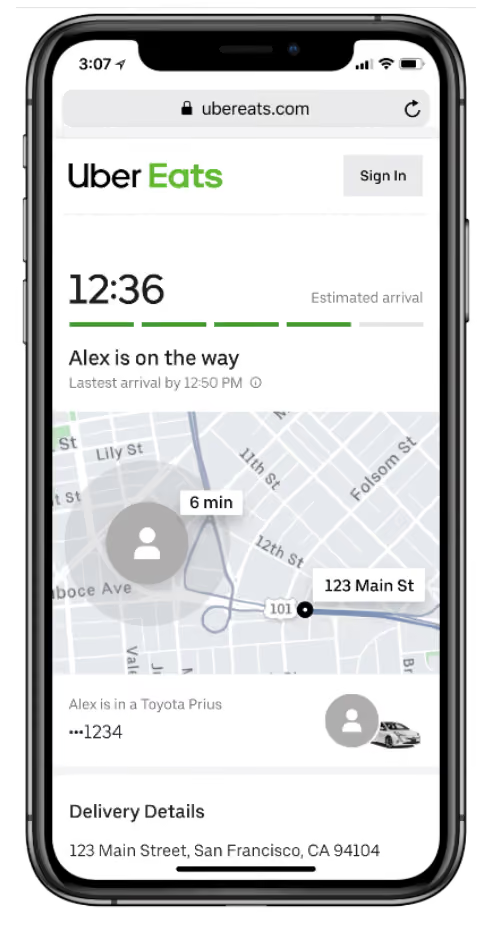
4. Deliveries are tracked in real time
Once the driver picks up the order and is en route, the system monitors the delivery in real-time. The customer receives automatic status notifications — confirmation, out for delivery, arriving soon, and delivered — via SMS or email.
From the dashboard, the restaurant can view all active orders with filters to check status by order number and type. That visibility is what separates reactive fire-fighting from proactive delivery management.
5. Delivery Analytics and Performance Reporting
At this stage, the system records key operational metrics. These insights reveal the duration of deliveries, when order volumes surge, and how driver capacity is utilized.
Key delivery KPIs worth tracking include: average delivery time by zone, driver utilization rate, late delivery rate, refund and cancellation rate, order volume by hour and day, delivery cost per order, and repeat customer rate by fulfillment type. Restaurants that track these metrics consistently can staff more accurately, adjust delivery zones, and identify which menu items cause the most prep delays.
Also Read: How to Optimize Restaurant Takeout and Delivery for Success and Profitability
Core Restaurant Delivery Management Software Features at a Glance
Not every restaurant needs every feature on day one. This table helps operators identify which capabilities matter most for their current stage.
Route Optimization and Dispatch Automation
Driver assignment and route optimization are where delivery management software creates the most measurable operational impact — and where manual coordination breaks down fastest during a rush.
Consider a restaurant handling eight simultaneous delivery orders on a Saturday evening. Without automation, a manager has to manually check which driver is closest, estimate travel time, and communicate the assignment — all while the kitchen is calling out completed tickets. With route optimization, the system does that work automatically: it batches nearby orders, assigns the most efficient driver, calculates the expected delivery window, and pushes updated ETAs to customers without a staff member touching it.
Route optimization software typically accounts for:
- Driver proximity: Assignments go to the nearest available driver with capacity.
- Order batching: Multiple orders going to the same neighborhood are grouped into one run where possible.
- Traffic conditions: Real-time traffic data adjusts ETAs and suggests alternate routes.
- Driver workload: The system balances orders across available drivers rather than overloading one.
- Zone-based prioritization: High-margin delivery zones or VIP customers can be flagged for priority dispatch.
The outcome is not just faster deliveries. It is fewer driver idle minutes, lower fuel costs per order, more consistent ETAs, and a customer experience that does not depend on one staff member staying on top of a whiteboard.
For restaurants that handle exception cases — a driver no-show, a vehicle breakdown, a sudden volume spike — dispatch automation also allows rapid reassignment without disrupting the rest of the queue.
Benefits of Restaurant Delivery Management Software for Restaurants
Delivery issues rarely look like one big breakdown. They show up as small, expensive leaks: a missed modifier, a late driver, a cold order, a refund request, or a customer who never comes back because the marketplace owns the relationship.
A connected delivery management system helps restaurants close those gaps by giving staff, managers, and drivers the same operational picture. Here is what that looks like in practice:
- More orders handled with less manual work: With every order organized in one system, teams can move faster, reduce errors, and serve more customers without adding extra staff.
- Better margin control: Direct ordering and flexible delivery options help restaurants reduce dependence on high-commission marketplaces.
- Stronger customer relationships: When orders come through owned channels, restaurants can use customer data for loyalty, promotions, and repeat ordering.
- More predictable delivery timing: Clearer driver assignment and routing keeps drop-off windows consistent, even during peak periods.
- Stronger menu control: By understanding how dishes travel and hold, restaurants can decide which items are suited for delivery and protect food quality beyond the dining room.
- Fewer errors and refunds: Real-time menu updates and clear prep instructions reduce remakes, refunds, and accuracy issues before the order leaves the kitchen.
- Scalability without added complexity: A well-integrated system grows with the restaurant — whether that means handling more orders per hour or managing a second or fifth location.
Also Read: Why Have an Online Ordering System for Restaurants?
How Restaurant Delivery Management Software Reduces Delivery Costs
Cost reduction is one of the most compelling reasons restaurants invest in delivery management software — but the savings rarely come from one source. They accumulate across several operational areas that are easy to overlook until the numbers are reviewed.
A restaurant processing 150 delivery orders per week at an average order value of $35 and paying 25% commission to a marketplace is spending approximately $1,312 per week — or over $68,000 per year — in platform fees alone. Shifting even half of those orders to a direct channel with a flat delivery fee model can recover a substantial portion of that cost.
When Should a Restaurant Use Delivery Management Software?
Not every restaurant needs a full delivery management platform on day one. But there are clear signals that manual coordination is no longer enough. If a restaurant is experiencing any of the following, dedicated software is likely overdue:
- Delivery orders are consistently late or arriving cold
- Staff are manually re-entering orders from multiple tablets into the POS
- Drivers are confused about assignment order or overlapping routes
- Refund requests are increasing due to wrong items or missing modifiers
- Delivery volume has grown but kitchen communication has not scaled with it
- The restaurant operates more than one location and manages delivery separately at each
- Marketplace commissions are cutting deeply into margins each month
- There is no clear visibility into which delivery zones are profitable and which are not
The tipping point is usually volume. A restaurant handling fewer than 20 delivery orders per day can often manage with basic tools. Beyond that threshold, the coordination cost of manual delivery management typically exceeds the cost of software — and the errors start compounding.
Types of Restaurant Delivery Management Software and Delivery Models
Each restaurant runs delivery a little differently. Some use their own drivers, others partner with courier networks, and many do a mix of both. The best restaurant delivery management software adapts to those needs.
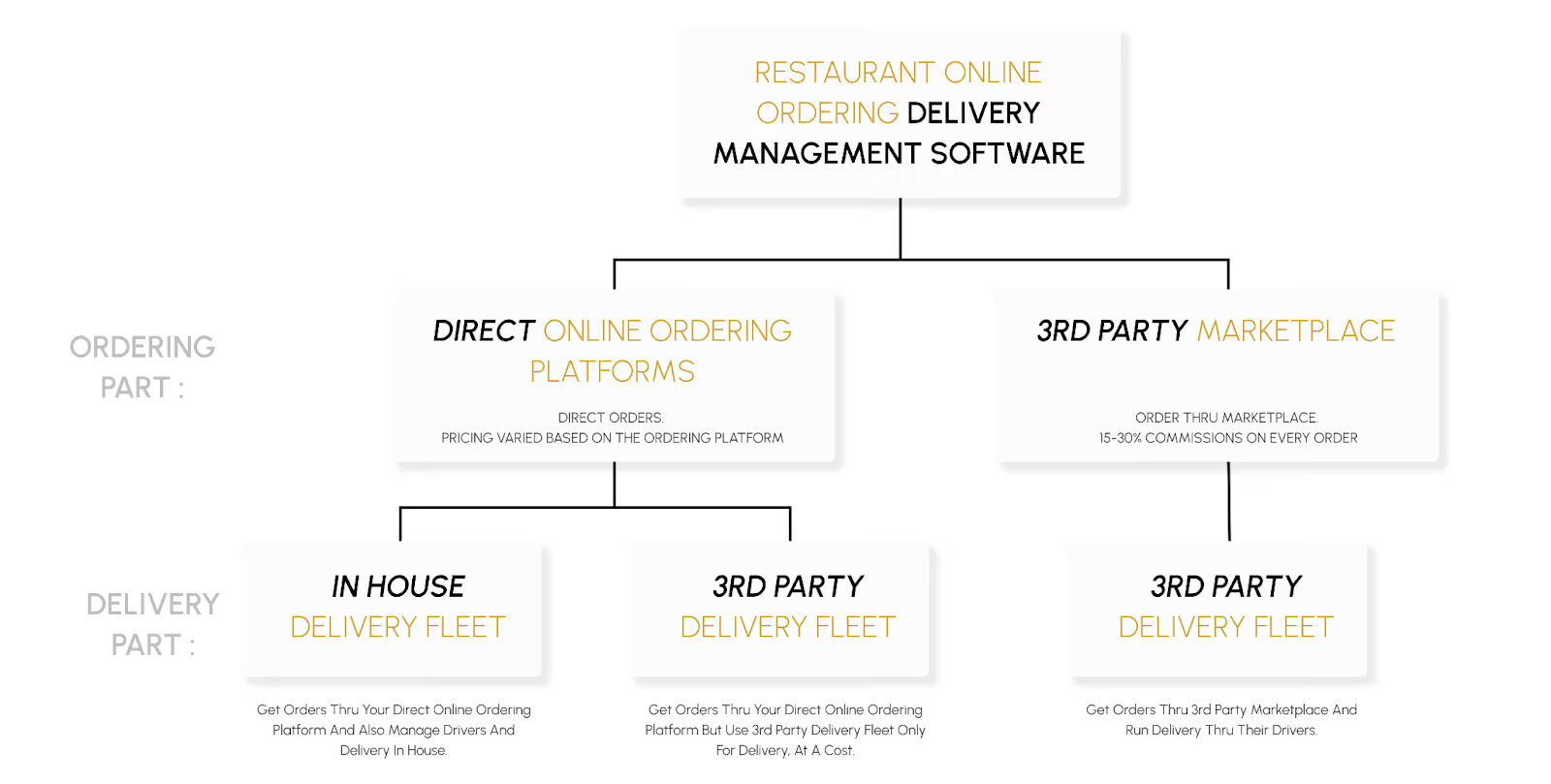
Let's look at the two main types and how they work in practice.
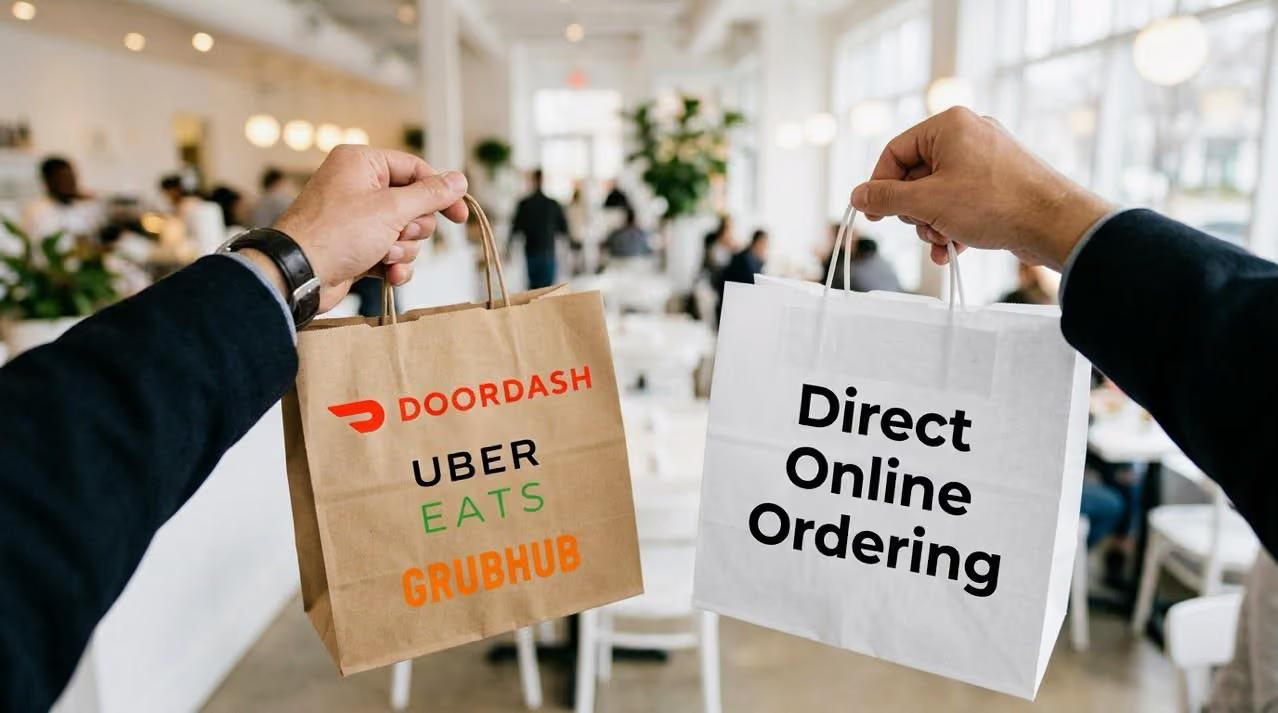
1. Direct online ordering delivery management software
This model lets restaurants own the experience end-to-end — from order placement to delivery fulfillment. Orders come directly through the restaurant's website or branded ordering platform rather than through a third-party marketplace.
The bigger advantage is what happens after the order. When customers order directly, the restaurant can use order history, preferences, and repeat purchase behavior to build smarter promotions instead of handing that relationship to a marketplace.
Under this category, delivery can be managed in two ways:
a. In-house delivery
With in-house delivery, the restaurant runs its own fleet. Orders are received through the direct ordering platform and automatically sent to the dispatch system. On-payroll drivers are assigned based on availability, delivery radius, and order priority.
Off-premise and digital restaurant sales rose 11% in 2024, driving more operators to invest in connected fleet tracking and dispatch automation. — PYMNTS Intelligence
b. Third-party delivery integration
In this model, customers place orders directly through the restaurant's website or online ordering system, and the restaurant outsources only the delivery to third-party couriers such as DoorDash Drive or Uber Direct. The restaurant pays only for the delivery service — not marketplace commissions.
This delivery fee can be:
- Fully covered by the restaurant
- Shared with the customer
- Passed entirely to the customer during checkout
By 2026, 28% of restaurants are expected to cite composable POS platforms — which integrate POS, payments, and delivery — as their top tech investment. — IDC MarketScape
2. Third-party marketplace delivery platforms
Here, the restaurant receives orders through external marketplace platforms such as DoorDash, Uber Eats, or Grubhub. Both the ordering and delivery processes are handled entirely by these third parties.
While this model offers convenience and access to a broader customer base, it comes with significant trade-offs:
- High commissions, typically 15%–30% per order
- No access to the in-house delivery fleet for marketplace orders
- Limited control over customer data and experience, since all interactions occur within the marketplace ecosystem
The marketplace owns the ordering flow, the customer relationship, and delivery logistics — leaving the restaurant dependent on their system, their fees, and their rules.
78% of restaurant leaders say that managing delivery aggregator relationships is one of their biggest operational challenges, primarily because aggregators own the customer relationship and drive up prices. — Deloitte 2025 Future of Restaurants and Food Service
The biggest decision is not simply which delivery tool has the most features. It is whether the restaurant wants to own the order and customer relationship, or rent access through a marketplace that controls both.
How to Select the Right Restaurant Delivery Management Software
There is no shortage of delivery management software for restaurants. But to find the one that works best, keep these seven factors in mind:
1. Ease of integration
If the ordering software does not integrate with the existing POS, the restaurant will be stuck re-entering orders manually — creating delays, errors, and reporting gaps. The right system should offer built-in integrations or an open API that connects with existing tools.
A powerful system should still feel simple during service. If staff need a long training session just to accept, route, or update an order, the software is creating a new bottleneck instead of removing one.
2. Scalability
As order volume or location count grows, the system should still allow management of menus, delivery zones, and store settings from a single dashboard. Managing multiple dashboards for different locations leads to errors, inefficiencies, and wasted time.
3. Brand customization
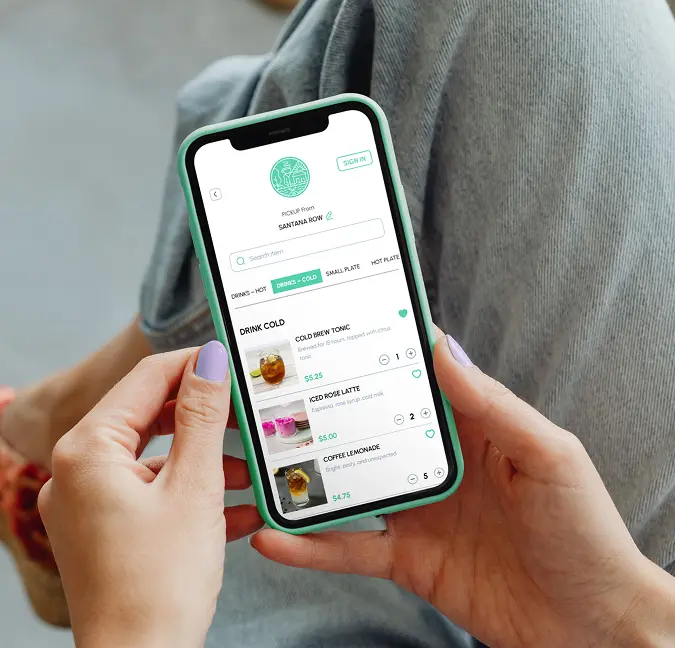
The website, menu layout, messaging, and tracking pages should all reflect the restaurant — not the software vendor or a third-party marketplace. Full control over the ordering experience keeps the brand front and center.
4. Transparent pricing
Costs should be clear from the start. Beyond the base subscription, it is worth confirming per-order charges, setup fees, integration costs, and payment gateway markups before signing up.
The pricing model matters as much as the price itself. A platform that locks restaurants into long-term contracts removes flexibility exactly when the business needs it most.
5. Analytics, Reporting, and Customer Support
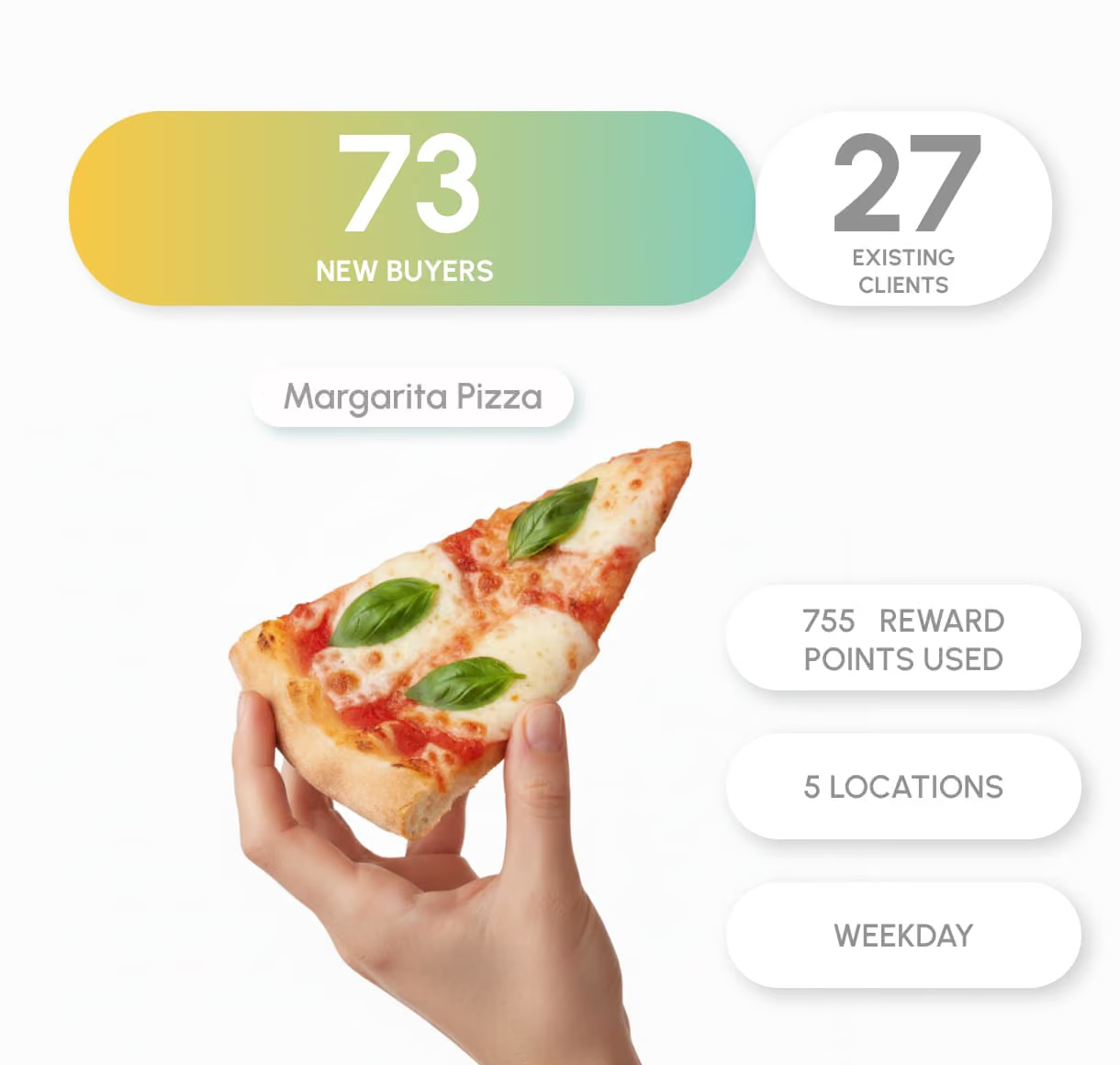
Accurate delivery data improves speed, staffing, and menu performance. The platform's dashboard should display all critical metrics — sales and order trends, product insights, delivery zone performance, and driver utilization.
6. Trial availability
Running a live trial during actual service hours reveals whether the system holds up under pressure. Smooth onboarding and responsive support matter — because technical issues during rush hours directly impact orders and customer satisfaction.
7. Speed to launch
A delivery system should not take weeks of back-and-forth before the first order goes live. If the menu, payment setup, and delivery rules are ready, restaurants should be able to start accepting direct online orders quickly — not after a six-week implementation cycle.
Implementation Checklist for Restaurant Delivery Management Software
Getting a delivery management system live requires more than signing up for a platform. This numbered checklist helps restaurants move from research to first live order without missing critical steps.
- Confirm POS integration compatibility: Verify that the selected software connects directly with the existing POS system — or through a supported middleware provider.
- Import and configure the full menu: Migrate all items, modifiers, categories, and pricing. Flag items that are not suited for delivery and set them as unavailable for that channel.
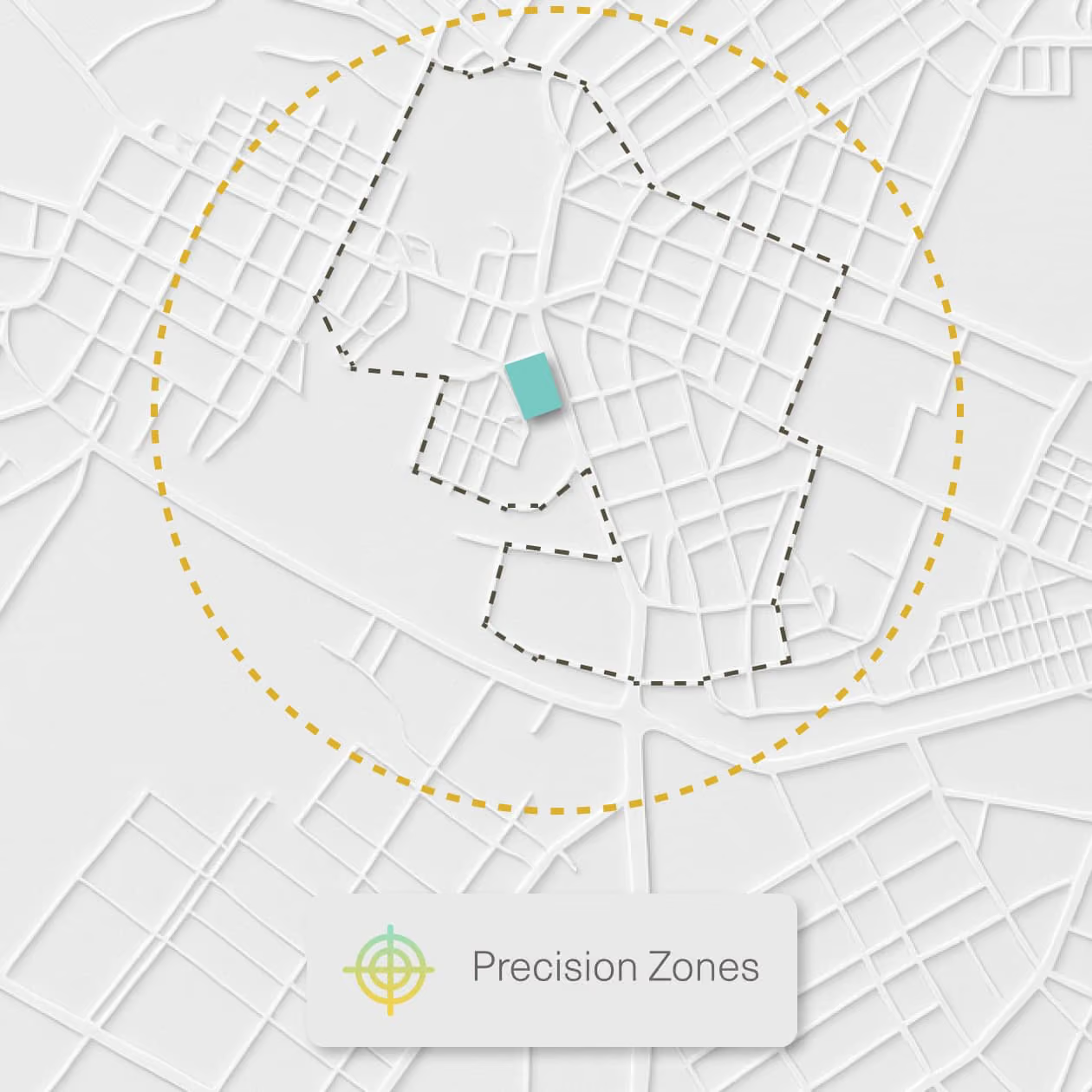
- Set up delivery zones: Define geographic boundaries with corresponding minimum order values, delivery fees, and prep time buffers.
- Configure payment processing: Connect the preferred payment gateway and confirm how delivery fees, tips, and surcharges are handled at checkout.
- Create driver accounts (if using in-house delivery): Onboard drivers into the dispatch system, assign access levels, and test mobile app connectivity.
- Configure customer notification templates: Set up SMS and email messages for order confirmation, preparation, out-for-delivery, and delivered status updates.
- Run test orders before going live: Place test orders across delivery, pickup, and curbside channels to confirm routing, notifications, and payment processing work as expected.
- Train front-of-house and kitchen staff: Walk through the order acceptance flow, KDS interaction, and how to handle modifications or cancellations from the dashboard.
- Launch and monitor the first week closely: Track delivery times, error rates, and customer feedback daily. Use the analytics dashboard to identify bottlenecks before they compound.
- Schedule a review at 30 days: Evaluate delivery zone performance, driver efficiency, refund rates, and direct vs. marketplace order mix. Adjust zones, fees, or staffing based on what the data shows.
Best Restaurant Delivery Management Software Options to Compare
The selection criteria above provide a framework. This section applies that framework to the platforms restaurants are most likely to encounter — starting with direct ordering systems and ending with marketplace platforms.
- ChowNow offers commission-free direct ordering, helping restaurants move away from marketplace dependency. However, customization and menu/branding flexibility are limited, and managing multiple locations requires separate dashboards — creating operational complexity at scale.
- GloriaFood is a lightweight system well-suited for smaller restaurants getting started with online ordering. Delivery workflows generally depend on expensive add-ons, and POS, loyalty, and analytics features remain basic.
- BentoBox delivers a strong website presentation and a polished guest-facing ordering experience. However, core delivery management and operational features fall short compared to purpose-built delivery management software.
When it comes to third-party marketplace platforms:
- DoorDash gives restaurants access to a large customer base through its delivery app. While it helps reach new diners quickly, commission fees typically run 15%–30%, in-house drivers cannot be used for marketplace orders, and all transactions happen inside the DoorDash ecosystem — limiting brand control and customer data access.
- Uber Eats works similarly. The restaurant is listed on the marketplace, and delivery is handled entirely by Uber's driver network. Convenience is high, but flexibility to manage operations independently or engage customers beyond the platform is minimal.
Restolabs takes a direct-ordering-first approach.
Restolabs is designed for restaurants that want to keep the guest experience, customer data, delivery options, and operational reporting under their own brand — instead of handing those touchpoints to a marketplace.
With Restolabs, restaurants can:
- Manage everything from one dashboard: Multiple locations, menus, tax rules, promotions, delivery zones, and order routing — all in one place.
- Fulfill delivery flexibly: Handle delivery in-house through integrated driver dispatch and tracking, or outsource using partners like DoorDash Drive and Uber Direct — without sending customers to third-party marketplaces.
- Offer a fully branded ordering experience: Streamline operations through POS and payment integrations, and drive repeat ordering with reporting and loyalty tools.
- Own the customer relationship: Every direct order builds a data asset the restaurant controls — not a marketplace profile the platform monetizes.
Whether operating one location or twenty, Restolabs helps restaurants maximize delivery success without surrendering margins or customer data.
Book a Demo to see how Restolabs helps restaurants manage direct orders, delivery workflows, customer data, and commission-free growth from one platform.

Sruthi Sekar specializes in brand strategy, growth, and user experience in the hospitality industry. As the driving force behind Restolabs, she helps restaurants harness technology to scale and thrive. With a background in design, branding, and entrepreneurship, she brings a sharp focus on crafting digital experiences that drive real business impact.
Frequently Asked Questions
Online ordering software captures orders from a restaurant's website or app. Delivery management software goes further — it takes those orders and manages the full fulfillment workflow, including kitchen routing, driver assignment, real-time tracking, customer notifications, and delivery analytics. Many platforms combine both capabilities, but they serve distinct operational functions.
Pricing varies widely depending on the platform and feature set. Direct ordering platforms like Restolabs charge a monthly subscription fee — typically tiered by order volume or location count — with no per-order commission. Marketplace platforms like DoorDash or Uber Eats charge 15%–30% commission per order, which becomes significantly more expensive at scale. Additional costs to factor in include setup fees, POS integration fees, delivery partner fees, and payment gateway rates.
Yes. Most purpose-built delivery management platforms integrate directly with leading POS systems or through middleware providers. Restolabs, for example, integrates with Toast, Clover, Revel, and PAR POS natively, and supports broader POS compatibility through partners like Chowly and ItsaCheckmate. Before selecting a platform, it is worth confirming both the integration method and whether ongoing sync is bidirectional.
Route optimization automatically assigns deliveries to the nearest available driver, batches orders going to the same area, and adjusts ETAs based on real-time traffic. The result is fewer late deliveries, less driver idle time, lower fuel costs per order, and a more consistent customer experience — without requiring a manager to manually coordinate routes during a busy service period.
The clearest signal is when manual coordination is causing errors that affect the customer experience — late deliveries, wrong orders, or poor visibility into where deliveries stand. Restaurants handling more than 20 delivery orders per day, managing orders from multiple channels, or running more than one location typically find that manual tracking creates more cost than it saves within a few months.
The most operationally useful delivery metrics are: average delivery time by zone, driver utilization rate, on-time delivery rate, order error and refund rate, delivery cost per order, order volume by hour and day of week, and repeat customer rate by fulfillment type. These metrics help operators identify where the delivery process is losing time or money and where to focus improvement efforts.
Restolabs does not cap order flow. Menu throttling can be configured automatically during rush periods, preventing kitchen overload and late deliveries. This protects service quality without turning away customers unless necessary.






.webp)

.svg)
.webp)