
Key Takeaways
- A quality list starts with opted-in customers who know your restaurant, not purchased contacts with no existing relationship to your brand.
- Collect emails at high-intent touchpoints such as online checkout, reservations, loyalty programs, Wi-Fi, QR menus, and website signups.
- Segment first time guests, loyalty members, high-value diners, and lapsed customers so your targeted marketing campaigns remain relevant.
- Use marketing automation for welcome emails, birthday emails, post-order follow-ups, seasonal promotions, and win back flows.
- Track engagement, repeat orders, unsubscribes, and list health to improve your email strategy without overwhelming subscribers.
- Restolabs connects customer emails with order activity and direct ordering data, helping restaurants maintain usable customer profiles and support repeat orders.
According to Restolabs’ 2026 Online Ordering Behaviour Report, 38.2% of customers placed more than one order within a six-month lookback window.
A restaurant email marketing list gives you a direct line to people who have already ordered or shown interest, helping you turn more of those customers into repeat business.
You see, every day, customers share their email with your restaurant at multiple touchpoints – when placing an online order, connecting to Wi-Fi, making a reservation, or signing up for a loyalty program. So, where does that data actually go?
For many restaurants, it ends up scattered across POS systems, delivery apps, online ordering platforms, and reservation tools. As a result, you have a valuable customer database, but much of it goes unused.
Looking for a way to fix that? This guide shows you how to collect customer emails, keep them organized, and use them to drive repeat orders.
What Is a Restaurant Email Marketing List?
A restaurant email marketing list is a centralized database of email subscribers who have interacted with your restaurant and agreed to receive communication from you, such as special offers, event information, and updates.
It helps you build customer loyalty, promote menu items, and encourage repeat visits. Email marketing generates $42 for every $1 spent.
In this guide, “restaurant email marketing list” refers specifically to a restaurant customer email list: people who have ordered, visited, signed up, or otherwise interacted with your restaurant.
It doesn’t, however, mean a purchased prospecting database containing restaurant businesses. Unlike followers on social media platforms or customers ordering through delivery apps, this list is a marketing asset you control.
Social media algorithms can limit how many people see your posts, but email lets you reach customers directly in their inbox.
🧐 Did You Know? 69% of guests prefer email for communication from brands.
First-party customer email list vs purchased email database
Not all email lists are created the same way.
A quality list built from first-party customer data includes people who have ordered from your restaurant or signed up directly and chosen to share their contact information. These lists tend to perform better because recipients recognize your brand and expect to hear from you.
Purchased email databases are compiled by third-party vendors and may include contacts from a specific city, region, or segment of the restaurant industry. These recipients usually have no prior relationship with your restaurant.
As a result, purchased lists often lead to low engagement, higher spam complaints, and weaker campaign performance.
Where Can You Build a Restaurant Email Marketing List?
So, how do you start building your customer email database? Focus on moments where customers are already completing an action:
1. Online ordering checkout
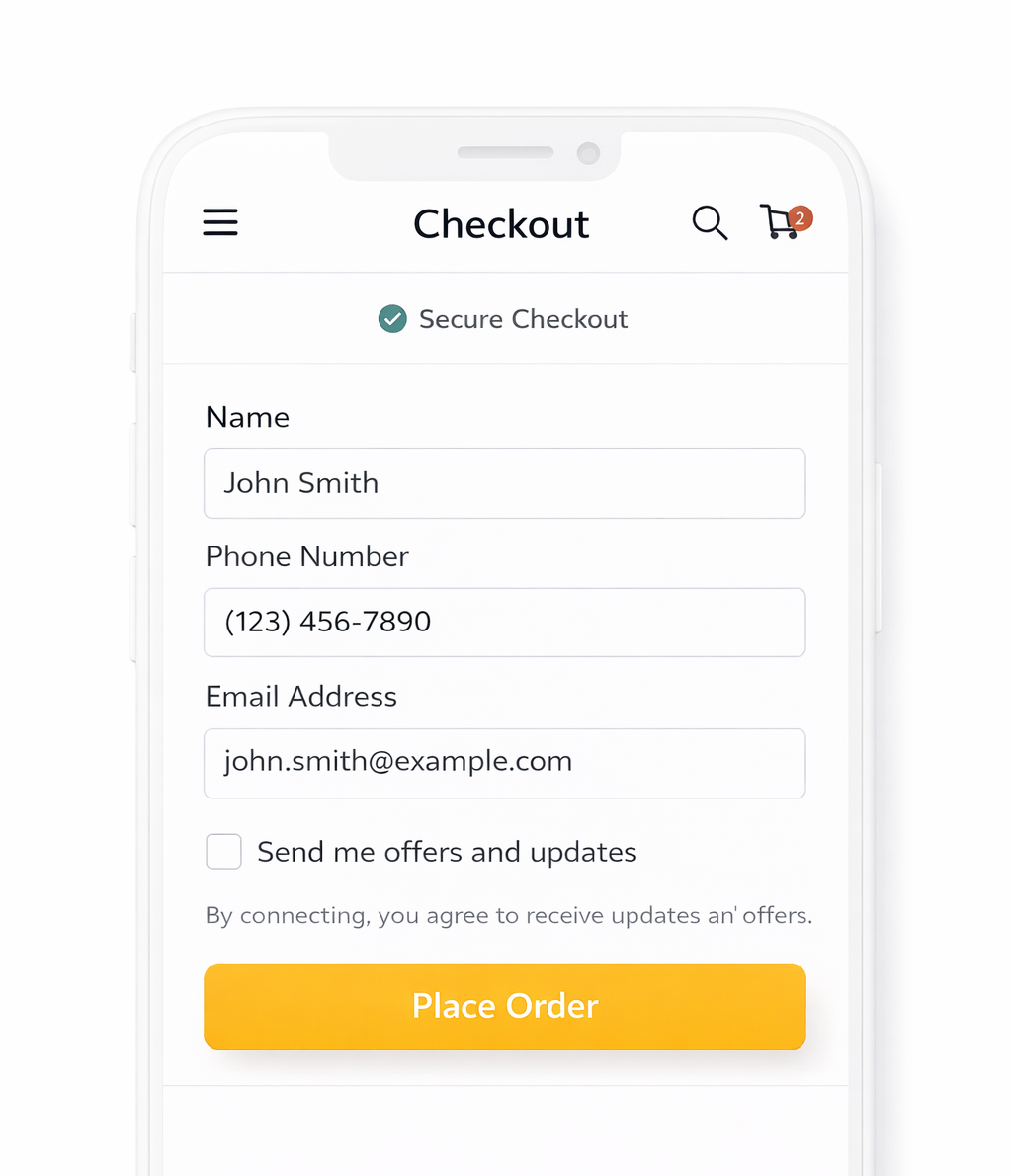
Your checkout flow is one of the most reliable sources. Customers have to enter their contact details to complete an order. Therefore, it makes sense to keep the email step within that flow, close to the final confirmation.
Add a simple opt-in line just below it so they can agree to receive updates.
2. Wi-Fi access
Wi-Fi access gives you a consistent stream of customer emails, especially in dine-in settings.
When someone connects to your network, guide them to a simple login screen. Ask for their email before access is granted, followed by a short consent line. This works well because the exchange is clear. They receive internet access, and you get a way to reach them later.
3. Loyalty programs
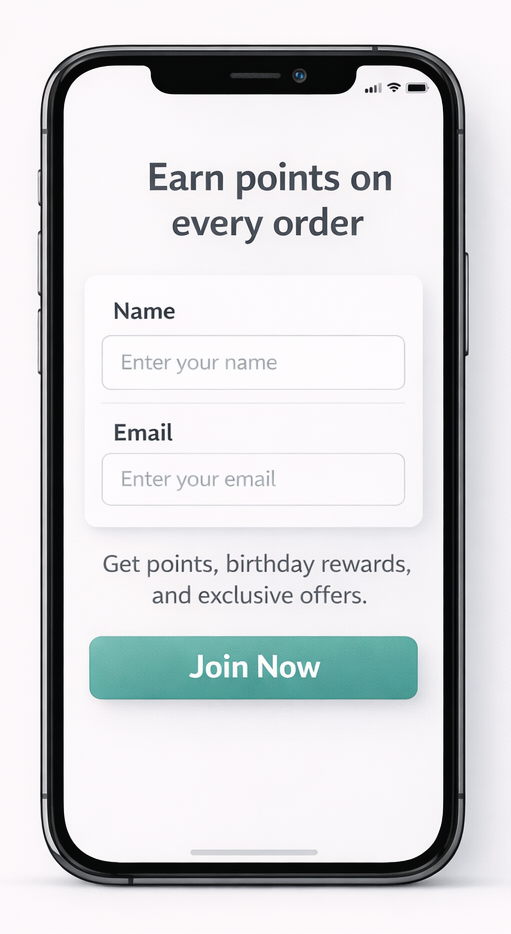
Loyalty programs are a direct way to collect customer emails. When someone signs up to earn points or access rewards, their email becomes part of that process. Keep the initial step limited to the essentials so it gets completed quickly.
Because customers sign up to earn rewards, the emails collected here are usually valid.
4. Website signup forms
Your website can capture interest even from someone who’s still exploring your menu or learning about your restaurant.
Add a simple signup option for offers, updates, and rewards in visible areas people naturally notice, such as the header, footer, or near key sections like your menu or ordering page.
A small pop-up can also work if it appears at the right moment, such as when a visitor is about to leave the site.
Give new subscribers immediate value with a clear and specific message. Instead of generic content, tell them what relevant content, rewards, or offers they can expect after sharing their email. For example:
- “Get a free appetizer on your next order when you sign up”
- “Be the first to know about seasonal menu launches, special events, and limited-time offers”
- “Sign up and receive a free dessert for your birthday”
5. QR code menus
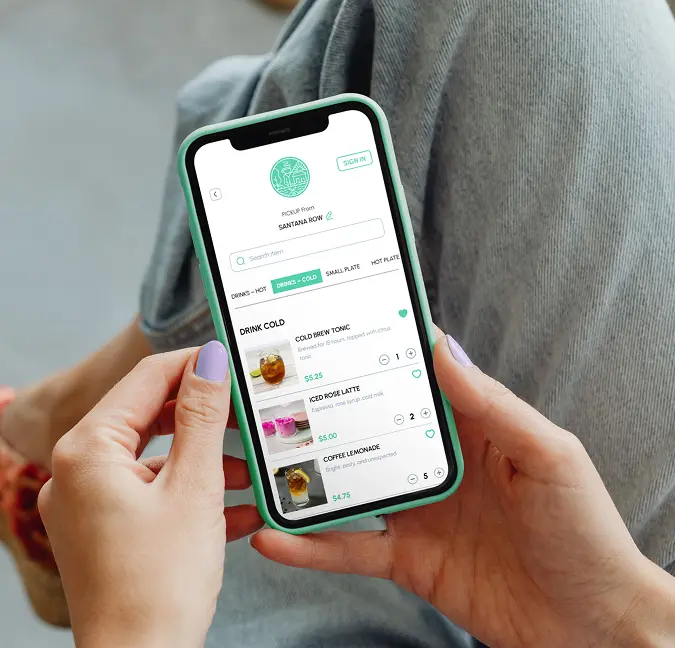
When someone scans a QR code to order at the table, they’re already engaged with your menu. Add the email input field in the checkout screen, just before the “Place Order” button, along with other required details.
This keeps the experience continuous and avoids breaking their focus.
6. Reservations and walk-ins
When a customer books a table or checks in at the restaurant, staff typically confirm details like name and phone number, and this is also a natural point to request an email address.
Because the customer is already committed to dining with you, they’re more likely to share accurate details, making reservations a high-intent source for building your email list.
The same email can also be used for reservation confirmations. Marketing emails, however, should only be sent where the customer has given the appropriate consent to receive them.
How Do You Build and Manage Your Email List?
The process is straightforward. Here are ways to build a restaurant email marketing list that remains useful over time:
1. Start with a clear purpose for the list
Before you begin collecting emails, decide what you want to use the list for.
A restaurant email list works best when it supports a clear email strategy and specific actions. This could mean bringing first time guests back after their first visit, filling tables during slower hours, or promoting new menu items to people who are likely to try them.
This clarity shapes how and where you ask for emails. For example, if your focus is repeat visits, you should prioritize collecting emails during checkout and post-order.
If you want to build long-term engagement, invest more in loyalty signups and website forms where customers actively choose to stay connected.
2. Keep the signup process simple and consistent
Once you know why you want to collect emails, the next step is to make that workflow easy for customers to complete. At your first interaction with them, ask for only what you need. In most cases, that is just the email address.
When the form is short, customers complete it quickly without second-guessing the effort involved. For example, during checkout, the email field is already part of the process. Adding a single opt-in option alongside it keeps the experience smooth.
Use the same simple signup flow for loyalty programs and digital receipts.
3. Ensure clear consent and compliant data collection
Many regions have rules around how businesses collect and use customer information. In the United States, the CAN-SPAM Act establishes requirements for commercial email communication, including identification and opt-out requirements.
In Europe, GDPR and related privacy rules affect how customer data and marketing permissions are collected and used. In Canada, Canada’s Anti-Spam Legislation establishes consent, identification, and unsubscribe requirements.
If you think about it, customers should clearly understand when they are agreeing to hear from you. Add an unchecked opt-in checkbox at the point where the email is collected, along with a short line that states what you’ll send – offers, menu updates, or occasional promotions.
Keep the wording specific so they know what they’re signing up for. For example, during checkout, place an unchecked checkbox near the email field with a line like:
“Send me offers and updates from [Restaurant Name].”
4. Organize and maintain customer data
After you start collecting emails, it’s important to have a system to store and maintain them in a consistent format.
In most cases, this builds gradually. A customer might first share their email on your website to get a discount. A week later, they may place an online order using the same email. A month later, they could sign up for your loyalty program while at your restaurant.
These are separate interactions, but they all belong to the same customer. Each new action should update the existing record instead of creating a new one. To make this work, the data needs to remain clean:
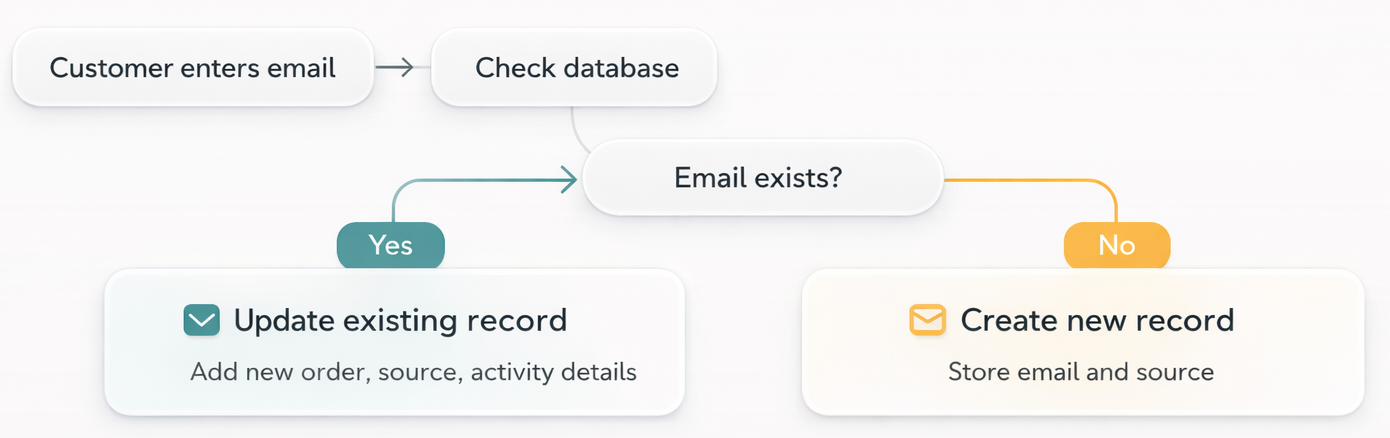
With Restolabs, customer data is automatically structured and maintained within the system. A single customer profile is created based on email:
- Interactions such as orders and loyalty activity are logged under the same profile.
- Existing records can be updated instead of creating duplicates.
- Customer details such as order history, total orders, and activity timestamps are stored and tracked.
- Customer data is searchable and accessible from the dashboard and reports.
Additionally, Restolabs integrates with POS systems, allowing customer and order data to flow into one centralized system for consistent record-keeping.
How Should Restaurants Segment Their Email Marketing List?
Once emails are cleaned and organized, create audience based rules that categorize customers using information you already have, such as order history, last activity, total spend, or their stage in the guest lifecycle.
Segmented email campaigns can increase revenue by 760%. Relevant emails outperform generic mass campaigns in email marketing.
The goal is to make each segment useful enough to support more relevant and targeted marketing campaigns. Simply dividing the database into more groups accomplishes little on its own. Here’s how you take a step in the right direction:
1. Separate new and returning customers using order count
Customers at different stages of their journey behave differently. Someone who has ordered once is still deciding whether to return, while a repeat customer already has some familiarity with your restaurant.
Use the number of completed orders to define this group:
- New customers: 1 order
- Returning customers: 2 or more orders
You can also distinguish first time diners, repeat customers, and loyalty members when those differences are useful to your campaigns. For example:
This rule can be applied automatically based on order data.
2. Identify lapsed customers using last order date
Every restaurant has lapsed customers who order once or twice and then disappear. Instead of letting those contacts stay inactive, use segmentation to bring them back. You can identify these people by tracking how long it has been since their last order.
- Inactive: No order in the last 60 or 90 days
For example:
Set a fixed time window and apply it consistently.
3. Identify high-value customers using frequency or spend
A small group of customers often contributes a larger share of your revenue. These are people who order frequently or spend more over time.
You can identify the high-value customers in your restaurant email marketing list using order count or total spend, then create targeted marketing campaigns for them.
- High-value: Top 20–30% based on order count or spend
For example:
Start with simple thresholds and adjust them over time.
4. Classify customers by location or ordering patterns
If your restaurant has multiple locations or serves a diverse menu, segmentation by location and preferences becomes useful.
For example, you might send different promotions to customers near a specific location or use personalized messages based on past ordering behavior, dietary preferences, or dietary restrictions. You can use this information to group emails more precisely.
For example:
Which Email Automations Should Every Restaurant Run?
Sending emails manually is time-consuming.
Many email service providers now combine marketing automation with features such as pre built templates and a drag and drop editor, making it easier to create professional emails and maintain recurring customer communication.
Here are the email marketing campaigns worth automating:
1. Welcome series
Automating welcome emails and birthday offers enhances customer engagement. In fact, welcome emails have a 91.43% open rate.
Such sequences begin when new subscribers sign up or a customer places their first order. Therefore, create a short series of two to three emails spaced a few days apart:
- Email 1 (same day): Deliver the incentive you promised, whether it’s a discount, a birthday reward, or early access to something new. Keep the introduction simple and personal.
For example:
“We’re a family-run ramen shop that’s been in this neighborhood for eleven years. We think you’ll enjoy what we have planned.”
- Email 2 (day 3): Highlight two or three dishes that customers order often. Add a short detail that helps them understand what makes one of them worth trying.
- Email 3 (day 7): Remind the customer to use their offer before it expires and include a clear path to place an order or make a reservation.
Emails with a single call-to-action outperform cluttered emails.
2. Post-order follow-up
The 24 to 48 hours after an order is one of the highest-engagement windows you have. The dining experience is still fresh. Happy customers may be ready to leave a review, while others may have useful feedback.
Either way, this is exactly when you want to show up. Set up a single email, triggered automatically after each completed order, that does three things in sequence:
- Thanks them briefly
- Asks for feedback or a review
- Suggests what they can try next
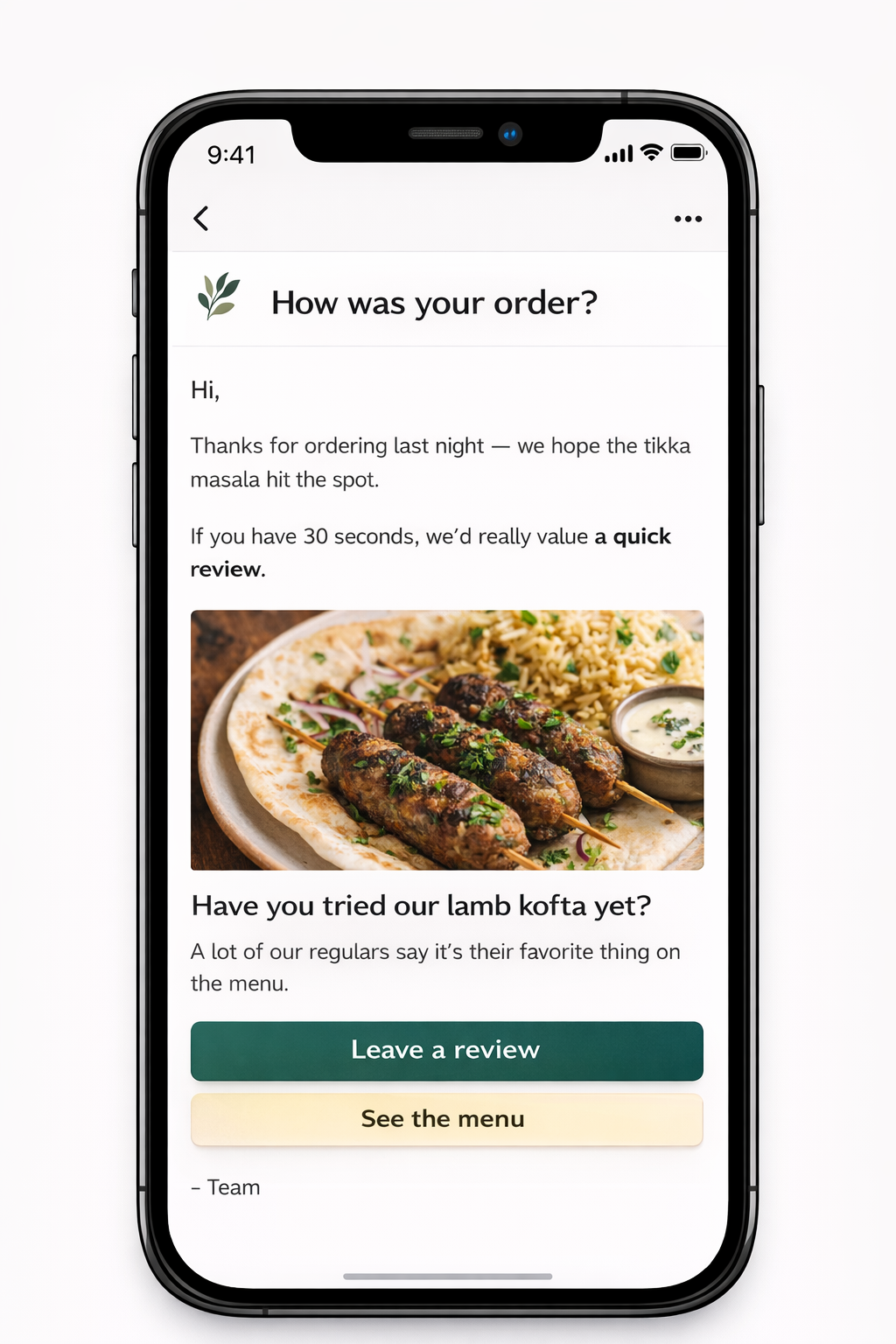
The point here is not to close the loop on this order but to open the door to the next one.
3. Win back flows for lapsed customers
To reel lapsed customers back in, trigger a win-back email based on your typical ordering frequency. For example, a casual lunch spot might use 45 days, while a higher-end dinner destination might use 90.
The tone of your email should be light and genuinely inviting, not guilt-tripping.
4. Seasonal and holiday campaigns
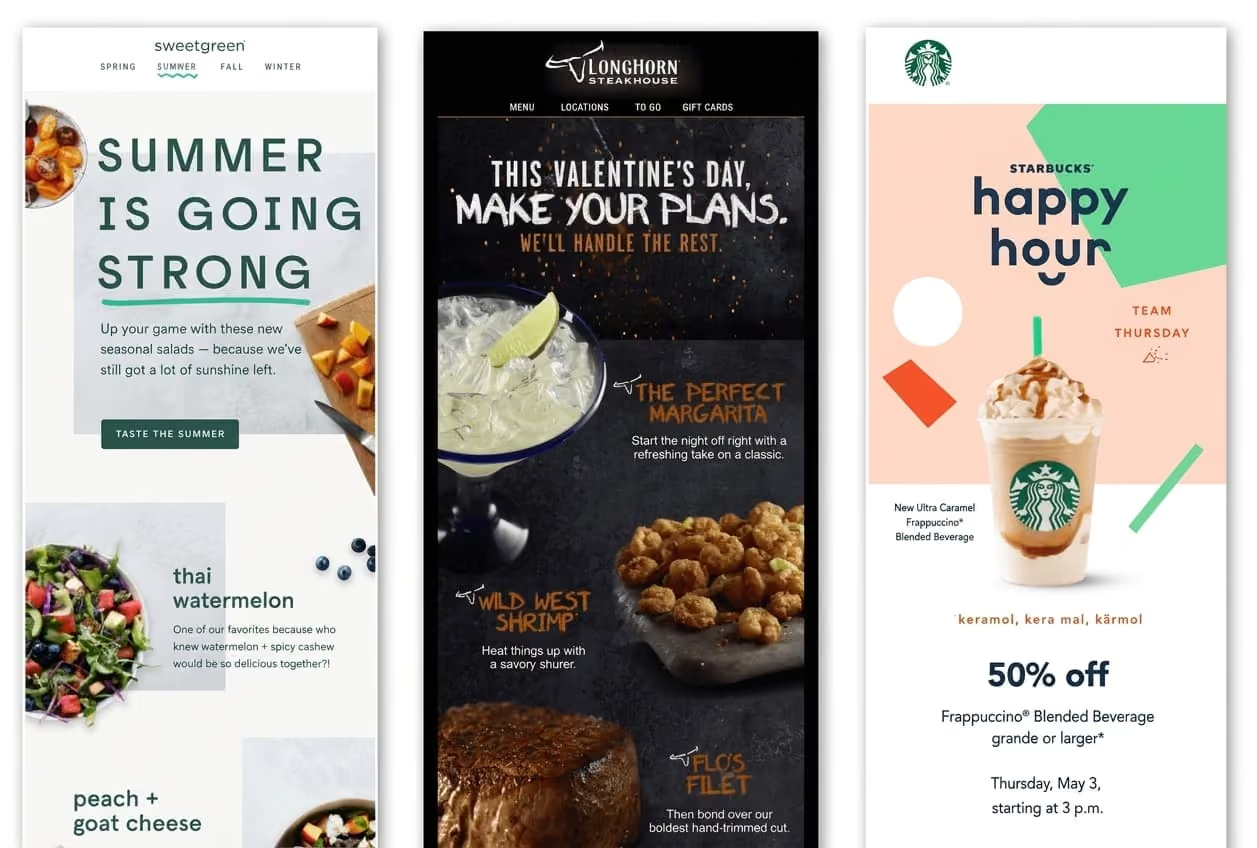
Seasonal moments and special occasions give you a natural reason to reach out. Use event invitations to promote special events such as cooking classes or live music, or highlight a seasonal menu and limited-time offers tied to a holiday.
Keep the message timely so it feels relevant. For example, a festive email sent a few days before Thanksgiving or Christmas could highlight a special combo or menu designed for group orders, along with a clear way to pre-order.
5. Chef specials and new menu launches
When you introduce a new dish or limited-time special, email is a simple way to bring it in front of existing customers and keep your restaurant top of mind. Focus on what makes the item worth trying and keep the message centered on one or two dishes.
For example, a pizzeria could send a teaser email a few days before launch:
“Something new is coming out of the oven this Friday — a truffle mushroom pizza with fresh burrata.”
Then follow it up with a launch-day email highlighting the item and including a direct link to order.
6. Loyalty and promotional reminders
Loyalty members who receive rewards, birthday emails, or offers tied to a special occasion don’t always act on them right away. More specifically, birthday emails can significantly enhance customer loyalty.
A short reminder can bring that intent back and encourage the next visit. For example, send a reminder one or two days before an offer or reward expires, with a simple message that highlights what they have and how to redeem it.
How Can Restaurants Improve Email Marketing Performance?
Building a customer database is only the first step.
To keep your email marketing campaigns effective, review performance regularly and adjust your marketing efforts based on what you learn:
1. Track the email metrics that matter
There are many metrics you can track, but not all of them will help you make decisions.
Benchmarks vary across the restaurant industry, so focus on the ones that show whether your communication is bringing customers back.
Key email metrics to monitor include:
- Open rate – Shows how well your subject lines and timing are working
- Click-through rate (CTR) – Shows how many customers take action
- Repeat orders – Shows whether emails are driving revenue
- Unsubscribe rate – Shows if customers are losing interest
Use the data to guide changes such as subject lines, timing, or offers.
2. Remove inactive subscribers
If a customer hasn’t opened or clicked any of your emails in the past 60 to 90 days, they can be considered inactive. Keeping such contacts in your list can affect deliverability, reduce overall engagement, and make it harder for future messages to avoid spam filters.
Before removing them, send a short re-engagement email with a clear subject line and a specific offer.
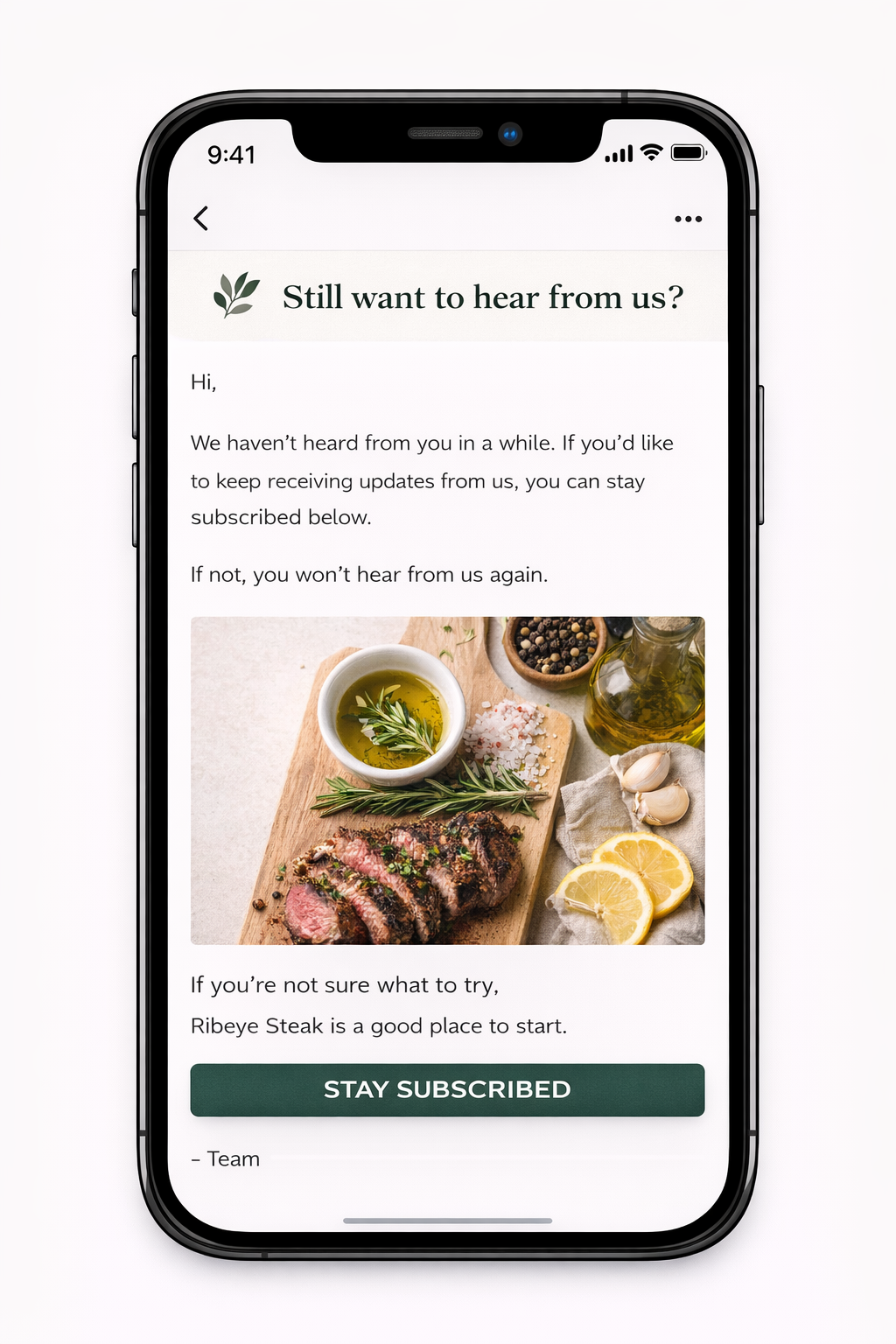
If there’s still no response after this, remove the contact from your list.
3. Use past campaign data to write subject lines
Go back to your past email communications and review the ones that received higher open rates. Then look at the subject lines used in those emails. Maybe you mentioned a specific dish, a discount, or a limited-time offer in the copy.
Use those patterns to write subject lines for future emails rather than starting from scratch every time.
How Does Restolabs Support Restaurant Email Marketing?
After email collection comes the equally important work of ensuring those contacts remain tied to real orders, updated over time, and usable. Restolabs, a direct online ordering platform, supports this in several ways:
Email capture is built into direct ordering
In Restolabs, every order placed through your website or QR codes includes customer email, which is linked to order confirmations and status updates. That means you can enforce login or enable guest checkout depending on how you want to collect data.
Customer data is available within order reports
Restolabs doesn’t require you to have a separate CRM to manage customer data. Order reports include email, address, and order details. Instead of requiring manual segmentation setups, the platform exposes customer behavior directly through order-linked analytics.
Data can be filtered by location, timeframe, or order type.
Promotions are applied where orders happen
Restolabs doesn’t rely on external campaign tools to influence behavior:
- Coupons are created and applied directly at checkout
- Loyalty points are earned and redeemed within the ordering flow
- Promotional banners appear inside the ordering interface
This keeps promotions aligned with the exact moment a customer is placing an order, and restaurants running this way have seen the difference in their order volume.
Aditya Raolji of Pizza Pirates in Saskatoon, Canada, put it plainly: “We saw a 25% month-on-month surge in online orders, with zero extra marketing.”
Book a demo with Restolabs to see how the platform works and how it can help your restaurant grow direct customer relationships and repeat orders.

Asavari drives content development at Restolabs. With over a decade of experience partnering with fast paced technology and marketing teams, she turns complex product and industry details into clear, meaningful communication for restaurant partners.
Frequently Asked Questions
A well-structured restaurant customer email list allows you to reconnect with people who have already shown interest and guide them toward the next order: When you launch a new dish, you can announce it to people who are already familiar with your food instead of relying only on visibility from other platforms. When a customer orders once and disappears, you can follow up within a day or two with a reminder or a small offer that encourages a second visit. When delivery apps drive most of your orders, you can use email to shift customers toward ordering directly next time. When weekdays feel uneven, you can send targeted offers to bring traffic during slower hours.
The best way is to collect emails during checkout. This is where intent is highest and customers are already entering their details to complete an order. Add an unchecked opt-in checkbox just below the email field with a short line like: “Send me offers and updates.” This keeps the flow intact while giving you permission to contact them later.
A practical starting point is four to eight emails per month, combining campaigns and automated messages. The exact number depends on how often your customers order and how frequently your menu or offers change. For instance, a quick-service restaurant can send more frequent updates, while a fine-dining restaurant may want to space them out. The goal is to stay useful without overwhelming subscribers.
Yes, because even a small restaurant depends on repeat orders to maintain steady demand. Restaurant email marketing gives you a direct way to reach people who have already ordered or shown interest without relying entirely on third-party platforms. It helps you bring customers back with timely offers, updates, and reminders based on past behavior. To begin, collect emails from your next 20–30 orders and send a simple follow-up with an offer that encourages a second visit.





.webp)

.svg)
.webp)