
Key Takeaways
- Use every third-party order as an opportunity to encourage customers to return through your own online ordering system, using QR codes, packaging, a promo code, or a direct-order incentive.
- Make your online ordering page the easiest place to buy, with a user friendly mobile experience, guest checkout, accurate menus, and as few checkout steps as possible.
- Give customers a financial reason to order directly through loyalty rewards, offering incentives, exclusive promotions, or a discounted price compared with marketplace ordering.
- Use Google, social media, SEO, email marketing, and SMS as coordinated marketing strategies that send more traffic to your own ordering channel.
- Use customer data and customer preferences to bring back existing customers, attract new customers, and improve your restaurant's online ordering sales over time.
- Track direct-order campaigns against online sales, repeat orders, average order value, and revenue so you know which activities increase sales and increase revenue.
It’s no secret that third-party delivery platforms charge restaurants between 15% and 30% per order in commission. Factor in payment processing fees, marketing charges, and other costs, and that number can quickly climb past 40% of your delivery revenue.
If you’re generating $50,000 a month in delivery orders, that’s potentially $20,000 leaving your business every month before food costs, labor, or overhead are even accounted for. But the financial hit isn’t the real problem.
The worst part? 43% of customers can’t recall your restaurant’s name after ordering through a delivery platform. They remember the marketplace app. And without that brand recognition to anchor them, your competitors are one scroll away the next time they open it.
The demand for direct ordering already exists and we have the numbers to prove that:
- Forty-seven percent of adults order takeout weekly, and 37% order delivery weekly
- Nearly 9 in 10 restaurant operators plan to invest in digital ordering channels in the next one year
- Customer satisfaction with delivery remains lower than dine-in experiences, highlighting gaps in the current ordering experience (ACSI Restaurant Study, 2025)
What you need is the right infrastructure and strategy to capture it. This guide walks you through how to drive more online orders directly and gives you the tools to make that shift sustainable.
How To Drive More Direct Online Orders?: 15 Proven Ways
Below is a breakdown of each, with specific actions you can implement immediately:
1. Add a direct-order incentive to every third-party delivery
Every order leaving your kitchen through a third-party platform is a conversion opportunity you’re not using. Add a simple insert to each delivery with a QR code linked to your ordering page, your website URL, and a clear incentive for next time.
A format that works well is: “Order direct and get 20% off your next order. Use the code ORDERDIRECT 20.” Use a unique code so you can track how many customers actually switch.
This also tells you which offering incentives successfully entice customers to move from marketplace ordering to your own channel.
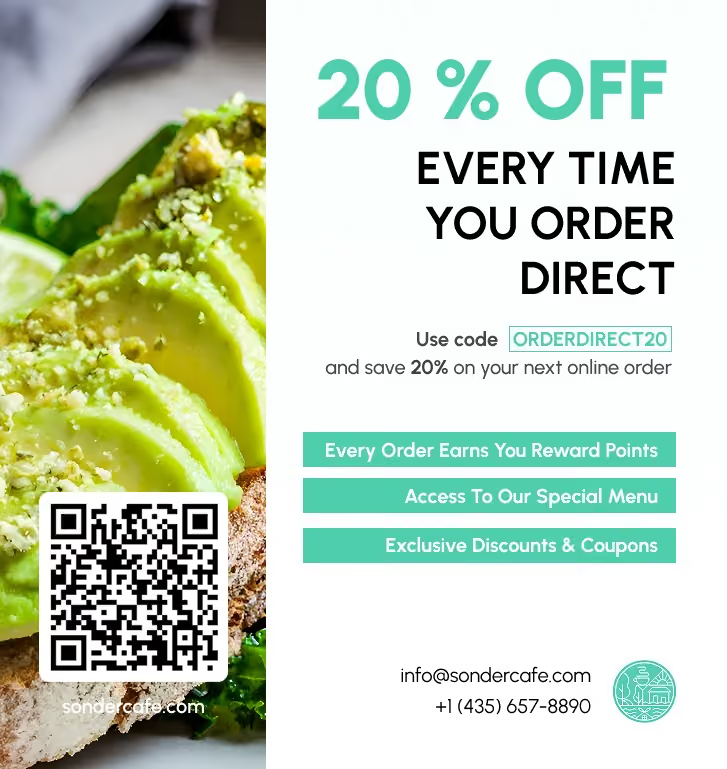
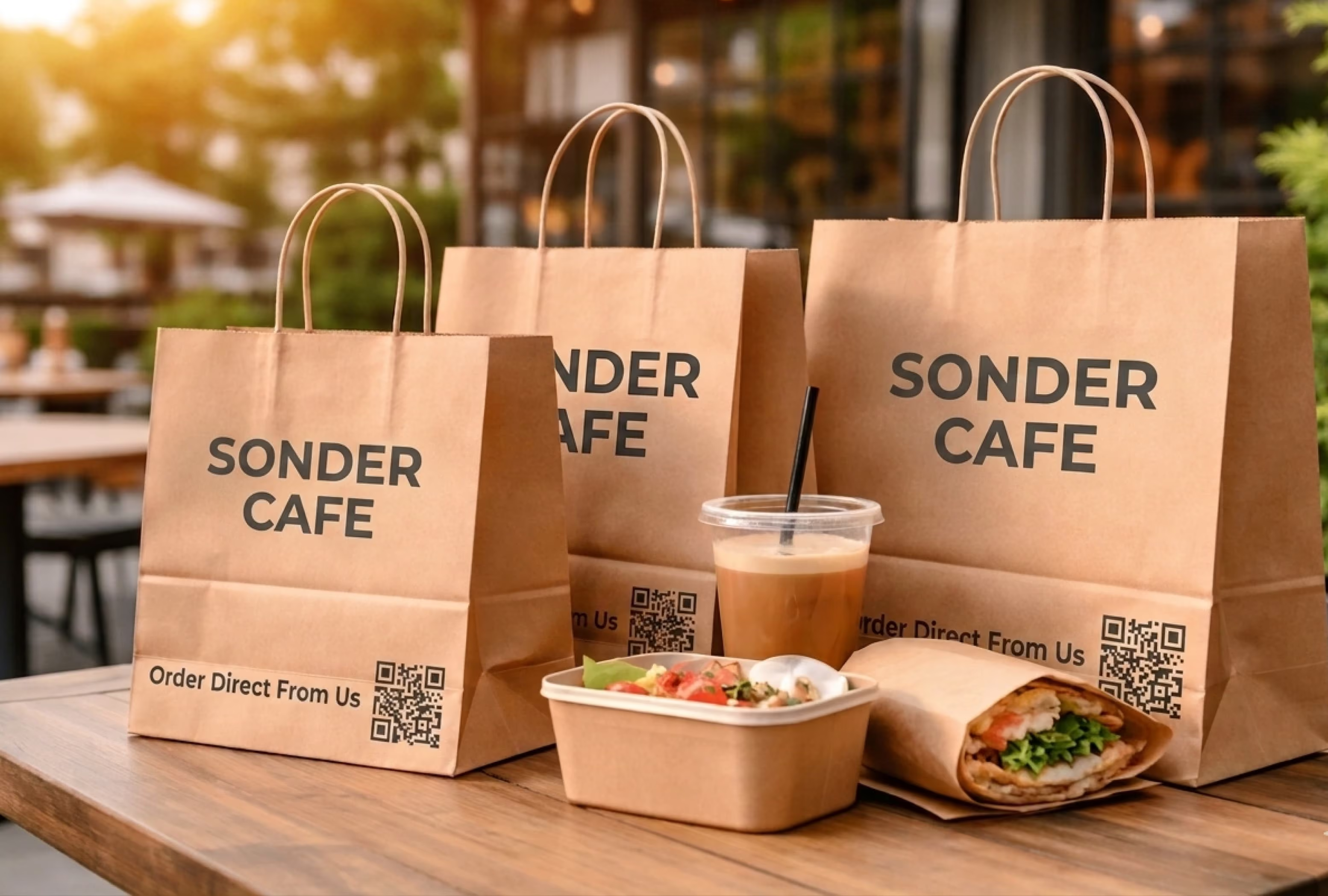
In fact, 60% of customers are motivated by exclusive discounts. You can reinforce this further by printing your URL and QR code on packaging—bags, boxes, or even receipts, so customers are reminded to order directly the next time.
2. Set up a loyalty program exclusive to direct orders
If the experience feels the same everywhere, customers will default to convenience. You need to give them a reason to choose you directly.
Set up a simple loyalty program that applies only to orders placed through your website or app. For example: earn 1 point for every $1 spent, and redeem 100 points for $10 off. Add an immediate incentive to get them started, like bonus points on their first direct order.
Then make sure it’s visible everywhere – inside delivery bags, on your website, and across your social channels, consistently nudging customers to order directly next time.
3. Add your direct ordering link to all social media profiles
Make sure your bio link on Instagram, your Facebook CTA button, and your TikTok profile all point directly to your ordering page. If you’re using a multi-link tool like Linktree, place your direct ordering link at the very top and label it clearly: “Order directly from us.”
Use the same CTA consistently to remind customers that direct ordering is available.
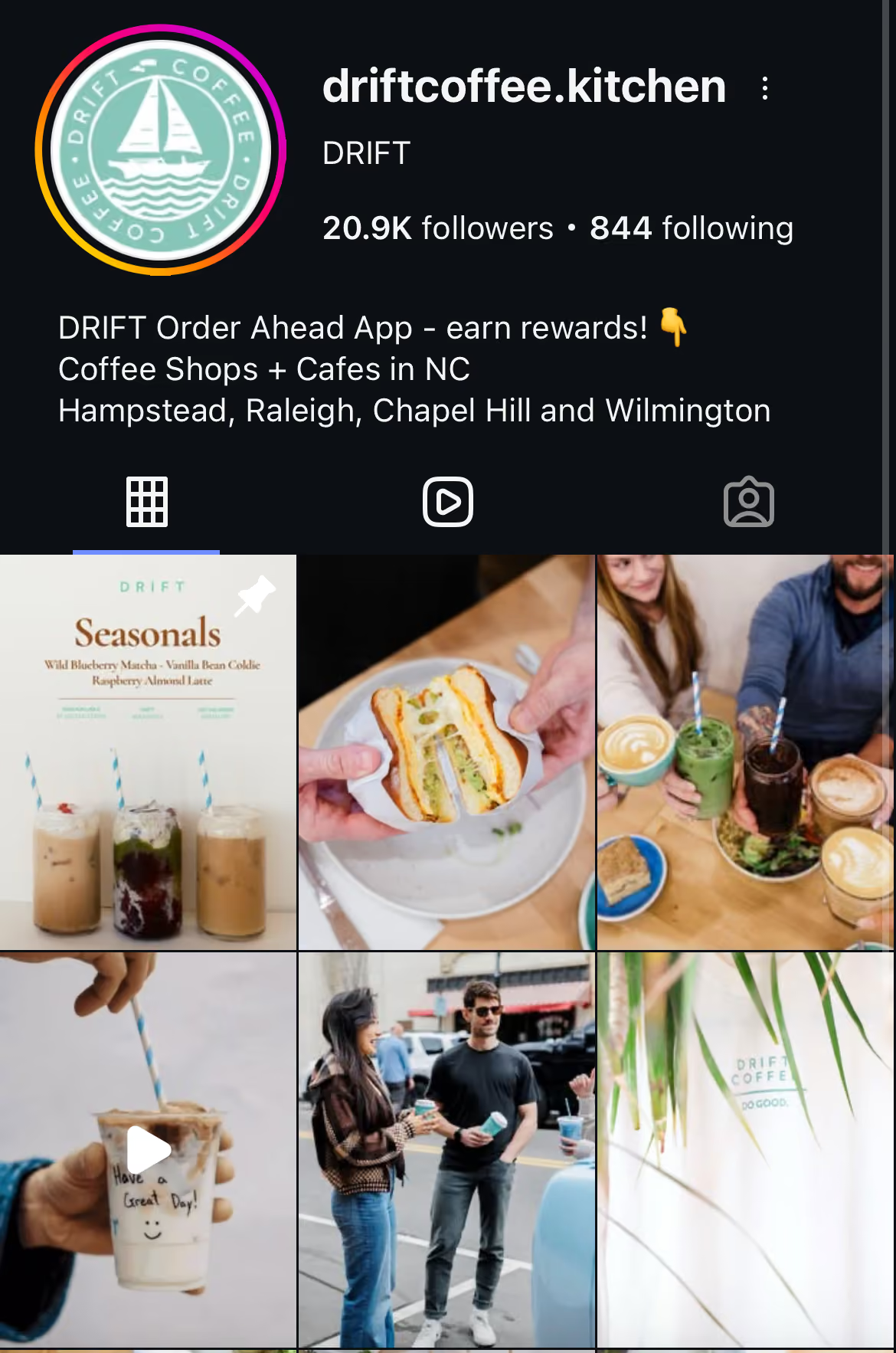
Then test the flow on your phone. A customer should be able to go from your profile to your menu in a single tap.
4. Run a weekly direct-order promotion on social media
Your social strategy must go beyond showcasing food to actively driving orders.
Run a weekly offer that gives customers a clear reason to order directly.
Not every promotion needs a discount code. Some offers work better when they’re frictionless, while others can use codes to help you track performance. Over time, this helps you understand which campaigns actually drive orders.
5. Use Stories and short-form videos to trigger impulse orders
Stories deserve particular attention because the format works differently from feed posts. The temporary nature creates genuine urgency, and the link sticker feature takes customers from watching your content to placing an order in a single tap.
Short, high-impact content performs best here.
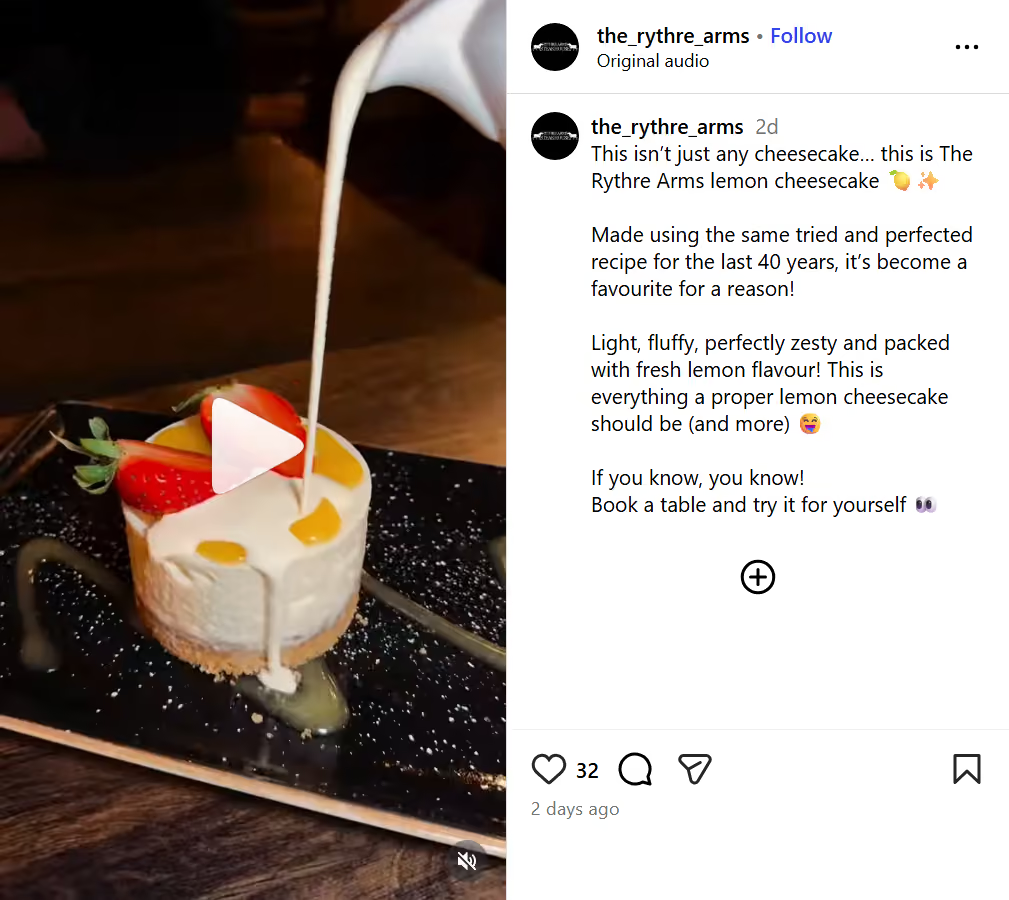
Think close-up plating shots, quick kitchen moments, or ASMR-style clips like sizzling pans, sauce pours, or crispy textures. These formats consistently drive more taps because they trigger immediate cravings rather than passive scrolling.
High-quality product visuals enhance customer trust and increase conversion rates.
Also Read: Restaurant Social Media Marketing – Complete Strategy Guide
6. Optimize your Google Business Profile for direct orders
When someone searches for your restaurant or a cuisine type in your area, they’re ready to order. Google captures customers at one of the highest purchase-intent moments in the discovery process, and your Google Business Profile (GBP) sits directly at that moment.
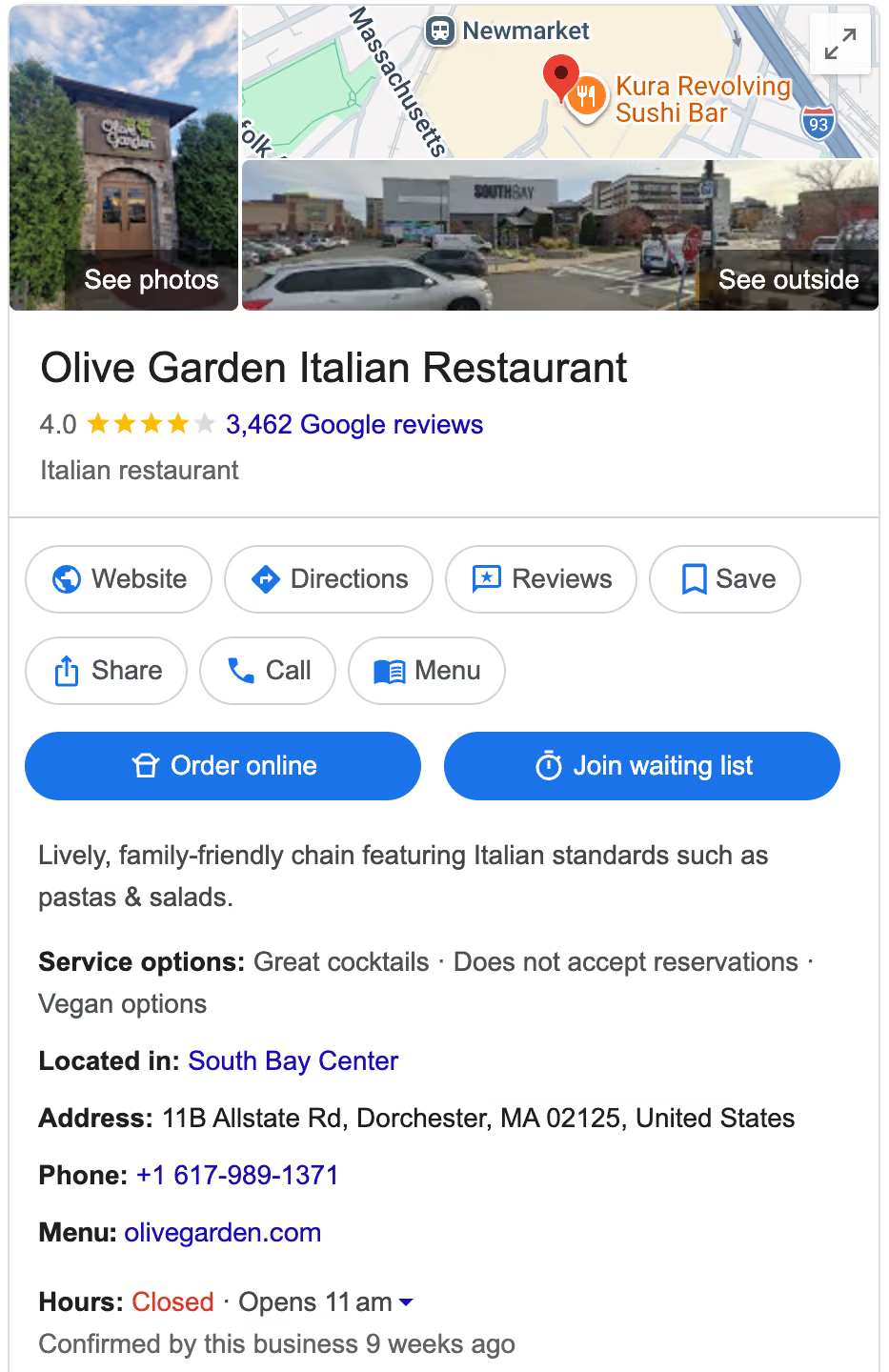
Make sure the ordering link on your Google Business Profile points directly to your own ordering page, and that it’s always up to date.
Inaccurate listings cost you orders without showing up in your data. If your profile says “Closed” when you’re open, or links to the wrong menu, most customers won’t double-check. Instead, they’ll simply order from somewhere else.
Run a quick monthly check to verify:
- Opening hours
- Phone number
- Menu link
- Ordering link
Pay extra attention after holidays or schedule changes, when errors are most likely to slip in.
7. Send post-order follow-ups to increase Google reviews and visibility
After a customer completes a direct order, send a short follow-up once it’s been delivered. Keep it simple: “We hope you enjoyed your meal. If you have a moment, we’d love your feedback.”
Focus on driving reviews on Google and one key secondary platform your customers use (typically Yelp). Include a direct link to make it easy.
Because the request is timely and tied to a real experience, it consistently drives more reviews than generic social media asks. And when those reviews mention a smooth ordering experience, they build trust and influence future customers to order directly.
8. Use email to bring back customers to order directly
Anyone on your email list has already shown intent. They’ve dined with you, ordered from you, or signed up for updates. That makes email one of the highest-converting channels for repeat direct orders.
Therefore, the moment a customer completes their first direct order, trigger an automated email through your email platform:
- In the first email, thank them, confirm their order, and introduce your loyalty program.
- The second, sent two to three days later, should give them a clear reason to order again, either a time-limited offer or a reminder of the rewards they’ve started earning.
Set this sequence up once and it runs automatically for every new direct customer from that point forward.
Beyond automation, stay consistent with one focused email each month
Write an email with one clear offer, a subject line that states the offer directly, and a single CTA button that links to your ordering page:
“Free garlic bread with every order this weekend. Code: GARLIC. Order here.”
Keep it brief. Track your open rate and click-through rate (CTR) each month and use that data to refine your subject lines and offer types as you go.
9. Leverage SMS marketing for timely, high-conversion offers
While email helps you stay top of mind, SMS is where you drive immediate action. Therefore, use this channel for sending short, time-sensitive offers that create urgency, such as:
- “20% off on direct orders tonight. Order now: [link]”
- “Free dessert on all direct orders before 9 PM”
- “Your favorite dish is back—order now: [link]”
Keep the content clear and action-driven, and always include a direct link to your ordering page. Because SMS is immediate and highly visible, it works especially well for same-day promotions, limited-time offers, and filling slow hours.
10. Use SEO to capture high-intent customers searching for food
Google ranks your restaurant for searches like "best pizza near me" or "late-night delivery in [city]" based on whether your website actually answers those queries. FAQ-style content does exactly that. For example:
- "What's the best steak in [area]?"
- "Where can I order [dish] online?"
- "What time are you open for delivery?"
Match those queries, and your restaurant shows up when customers are ready to buy. Land them on your own website instead of a marketplace, and they're far more likely to place a direct order.
To make this more effective:
- Use the exact phrases customers search for: Search your cuisine + location on Google and note the autocomplete suggestions (e.g., “pizza near me open now,” “best vegan pizza in Austin”). Turn those into FAQ questions and add them to your menu page, delivery page, or main web page.
- Create dedicated pages for high-intent categories: Instead of one generic FAQ section, group content into pages like “Late Night Delivery,” “Family Meals,” or “Office Catering.” These pages rank better and match how people actually search.
11. Build awareness through local community engagement
Many customers don’t order directly because they don’t even know it’s an option. Fix that by showing up where your local customers already spend time, not just on delivery apps. For example:
- Reddit (city-specific subreddits: Subreddits like r/nycfood, r/chicagofood, or r/foodlosangeles are full of people asking for recommendations. Look for posts like “Best pizza in [area]?” or “Late-night food options?” and join the conversation by:
- Answering questions helpfully
- Sharing genuine recommendations (including yours, if relevant)
- Avoiding hard promotion
- Facebook Groups (hyperlocal communities): Neighborhood groups (“Williamsburg Foodies,” “Austin Eats”) are highly active and recommendation-driven. Share updates like new menu items, limited-time offers, or behind-the-scenes content to drive real footfall over time.
- Local creators and micro-influencers: Instead of large influencers, collaborate with smaller, local food creators (5K–50K followers). A simple format works best. They try your food and show how to order directly from your website.
When customers recognize your restaurant from multiple places, they’re far more likely to search for you directly and order from your website.
12. Make your website the easiest place to order from
This exercise starts with reviewing your “Order Online” button. Go to your homepage. If the order button is anywhere other than the top navigation, relocate it to the top right corner. It should be:
- Visible without scrolling
- Linked directly to your ordering page
- The first clear action a visitor can take
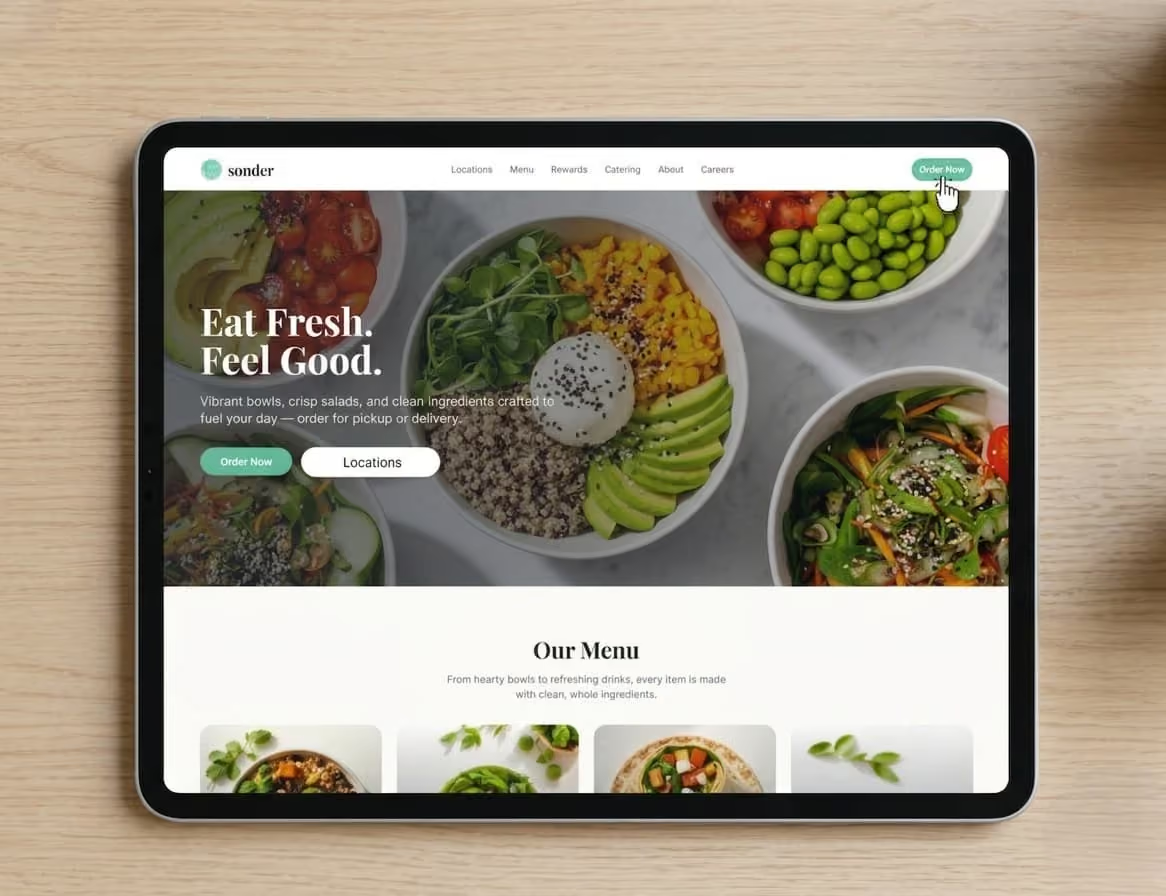
Did You Know?: 70% of customers say easy website ordering is crucial for decisions.
13. Simplify checkout by enabling guest ordering
Next, make sure you put your customers through a minimum number of clicks, keeping the ordering process easy and seamless. Remove all checkout blockers that serve no purpose at all. For example:
- Mandatory profile setup
- Forced account creation
- Repeated re-entry of saved details
- Password requirements before ordering
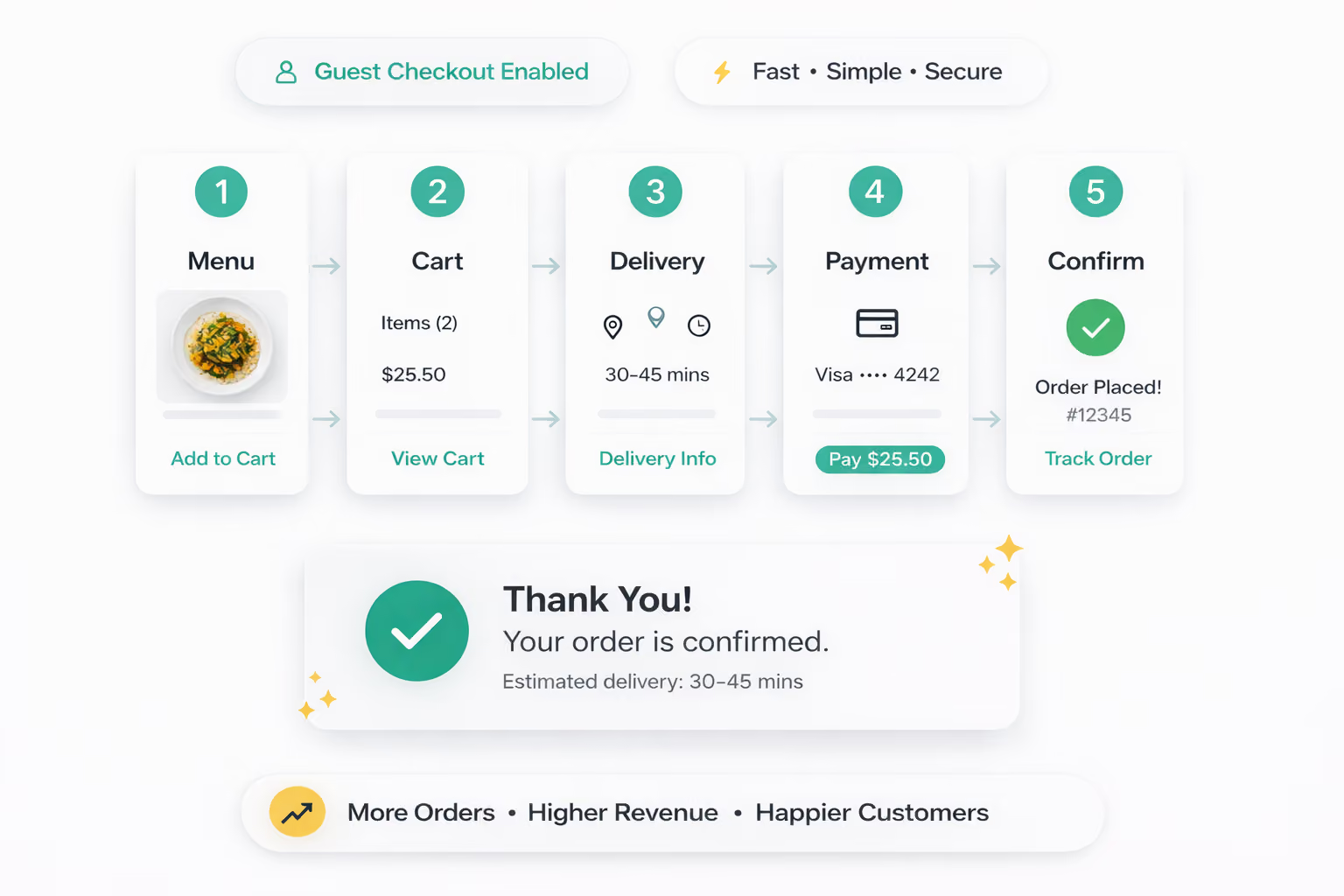
And make sure guest checkout is enabled in your ordering platform settings (most platforms label this under Checkout or Account Requirements). The only screens a customer should see are: menu, cart, delivery details, payment, confirmation.
14. Improve your mobile ordering experience
If your ordering page takes more than three seconds to load on a phone, a significant portion of visitors will leave before they even see your menu.
Research shows that restaurant website satisfaction has already dropped 6%, and mobile app reliability is down 8%, showing how quickly customers get frustrated with slow or broken experiences.
On most restaurant websites, the biggest culprit is large, uncompressed food photography slowing everything down.
The fix is straightforward. Run your images through Squoosh.app, a free browser-based tool, compress them, and upload the optimized versions. This one change alone can improve your mobile performance score by 20 to 30 points for many restaurants.
15. Show the price difference between delivery apps and direct orders
Most customers don’t realize how much more they’re paying on delivery apps, and that gap in awareness is costing you orders you could be getting directly. Make the difference visible. Take a typical order and show it side by side:
- Your website: $35 + $2 delivery
- Delivery app: $35 + $6.99 delivery + $3.99 service fee (pushing the total close to $50)
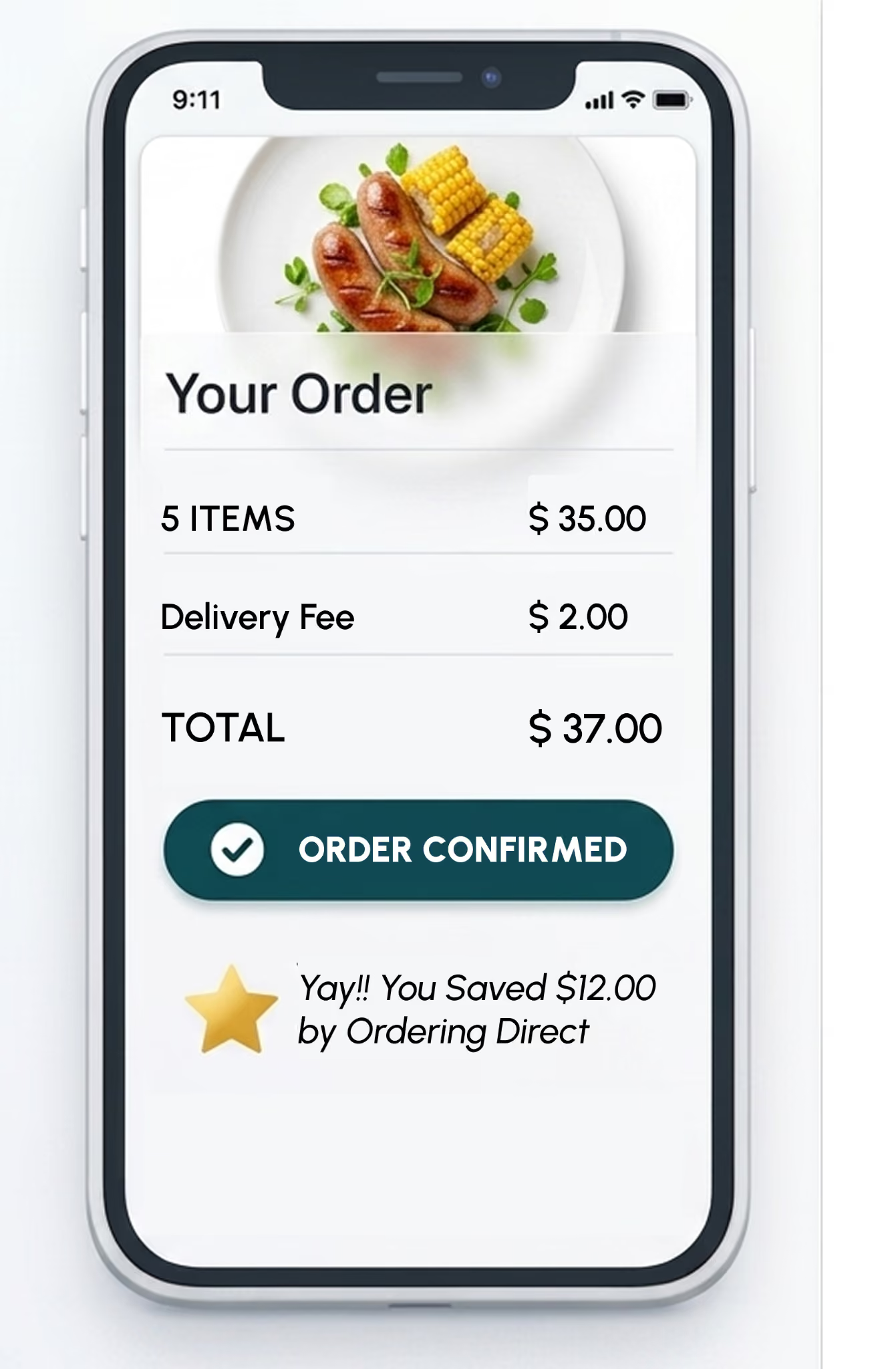
When customers see the full cost clearly, the choice becomes obvious. This kind of transparency often shifts behavior more effectively than discounts or promotions.
Drive More Direct Online Orders: Your Next Move Starts With Restolabs
Driving more direct online orders comes down to making your own channels easy to find, easy to use, and consistent across every touchpoint.
Your website, Google profile, packaging, social media, and email all influence where a customer orders. When these are aligned and point clearly to your ordering page, more customers choose to order directly.
If you’re working out how to get more direct online orders, these touchpoints need to lead customers back to the same direct ordering experience.
Restolabs supports this with a single platform built for direct ordering.
- Branded ordering pages ensure the full experience, from menu to confirmation, reflects your restaurant’s branding.
- Native website integration connects your “Order Online” button to a fast, mobile-optimized flow on your own domain.
- POS and delivery integrations keep orders synced across your website, app, and in-store operations.
- Customer analytics show order frequency, average spend, and repeat behavior, so you can track what’s working.
- Built-in marketing tools, including coupons, loyalty rewards, and offers, make it easy to run and measure promotions.
The result: more direct orders, better margins, and full control over your customer relationships. If you’re ready to shift more orders to your own channel, book a demo and see how Restolabs fits into your setup.

Sakthi Vignesh is a product and technology leader specializing in scalable solutions for the hospitality industry. As the force behind Restolabs, he focuses on building robust, user-centric platforms that help restaurants streamline operations and grow efficiently. With deep expertise in technology, product strategy, and system architecture, he drives innovation at the intersection of business and tech.
Frequently Asked Questions
There’s no universal timeline, but most restaurants see results within 60 to 90 days when changes are made across all channels at the same time. Early gains usually come from fixing high-intent touchpoints like your Google profile, website link, and packaging. Larger shifts happen as repeat customers build through loyalty and email.
Yes. Your direct channel should reflect your standard pricing. If your prices are higher on delivery apps to account for commissions, that creates a clear price difference in your favor. Customers notice this. When the same order costs less on your website, ordering direct becomes the easier choice. Charging the same or higher prices on your own channel removes that incentive and weakens your overall strategy.
Customer feedback shows exactly where your online ordering process is slowing down, confusing customers, or causing drop-offs. It highlights specific issues such as unclear menu descriptions, too many checkout steps, inaccurate delivery times, or missing order updates. Fixing these issues makes the ordering flow faster and easier to complete. Feedback also reveals patterns in customer expectations. For example, repeated comments about delays point to prep time mismatches, while confusion around menu items signals the need for clearer naming or descriptions.
Choose a platform with a fast, mobile-optimized interface and a simple checkout flow that requires minimal steps. Ensure customers can place orders without account creation. Look for full branding control, including the ability to use your own domain and maintain a consistent visual experience. Operational features should include order throttling, adjustable preparation times, and real-time status updates. Growth-focused capabilities such as built-in promotions, loyalty programs, customer data tracking, and integrations with POS and delivery systems help support repeat orders and ongoing optimization.





.webp)

.svg)
.webp)