
.jpeg)
Key Takeaways
- Start with what you want to control: Before looking at tools, be clear about which parts of customer data, outreach, loyalty, and your wider marketing channels you want to own instead of outsourcing.
- Match the software to how your restaurant actually runs: Order volume, service style, fulfillment model, and day-to-day restaurant operations should shape your choice more than feature lists or trends.
- Treat customer data as an operating asset: The more complete your customer profiles and dining history are, the easier it becomes to segment audiences, personalize outreach, and measure real results.
- Automate consistency, not creativity: Use software to handle repeatable outreach, review requests, and campaign timing so your team can save time and focus on service and execution.
- Look past the monthly price: Evaluate total cost over time, including upgrades, add-ons, commission fees, and operational limits that appear as you scale.
- Choose integrations that reduce manual work: Deep, reliable integrations matter more than long integration lists, especially for multi location groups that need data to move accurately between systems.
- Build repeat business before buying more traffic: Steady growth comes from customers who already know your food, so use your data to engage guests instead of constantly paying to be rediscovered.
- Build your marketing around one system with Restolabs: It connects ordering, customer data, promotions, and delivery so your marketing supports online sales as part of your operations rather than becoming another separate task.
Across more than 4 million direct restaurant orders, Restolabs’ 2025–2026 data found a 38.2% repeat customer rate across brands.
As a restaurant owner, you’re likely dealing with a familiar set of pressures: higher sales, steadier demand, and a business that performs better month after month.
But the thing is, even though you can run a tight kitchen and deliver excellent service day in, day out, sustained growth also depends on how well your marketing efforts attract new customers and retain existing ones.
And for that, your outreach needs to stay consistent, reach the right people, and drive repeat visits without burning a hole in your pocket.
That’s where restaurant marketing software becomes practical. In this blog, we’ll break down its core features, the top tools in the market, how to evaluate the right platform for your needs, and why this technology matters in the long run.
But first, let’s start with the basics:
What Is Restaurant Marketing Software?
A restaurant marketing software is a tool that manages, automates, and measures retention-focused marketing across digital ordering channels.
It centralizes your guest data, uses it to build customer segments, delivers targeted messages, supports loyalty programs, schedules offers, and tracks the revenue generated by each action.
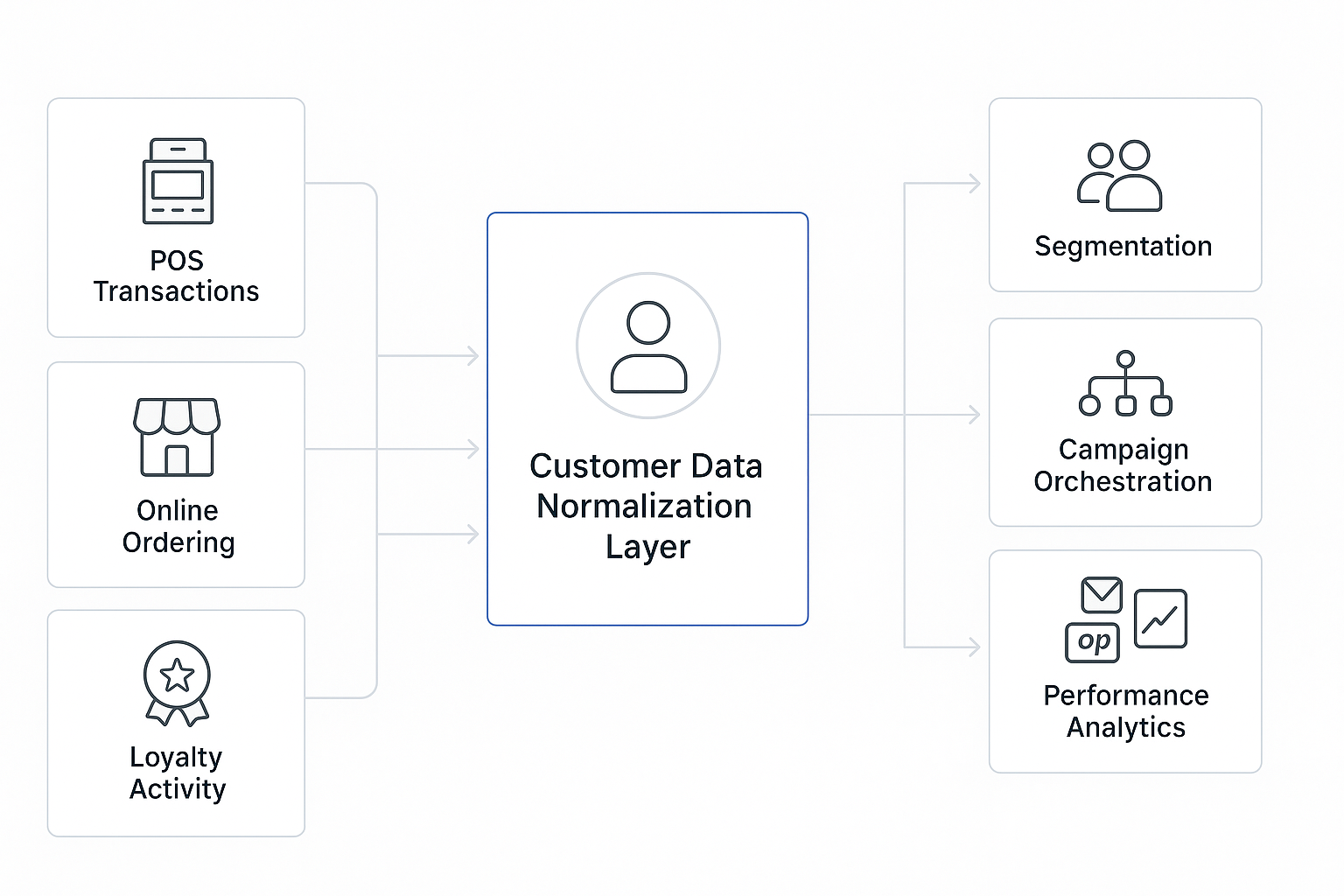
The software helps you understand who your customers are, how often they visit you online or in-store, what they buy from you, and how they respond to your targeted marketing campaigns throughout the year.
How Does Restaurant Marketing Software Differ From Other Tools?
As you build your restaurant tech stack, you’ll find that different tools support different parts of the customer journey. For instance, a POS helps you process transactions, delivery marketplaces help you reach diners, and ad platforms help you generate demand.
On the other hand, restaurant marketing software connects more directly to what happens after that first interaction. Let’s see how the different tools compare:
Why Do Restaurant Marketing Campaigns Need Marketing Software?
Reasons for adopting such a restaurant technology are fair and simple:
1. Direct control over customer data, loyalty, and communication
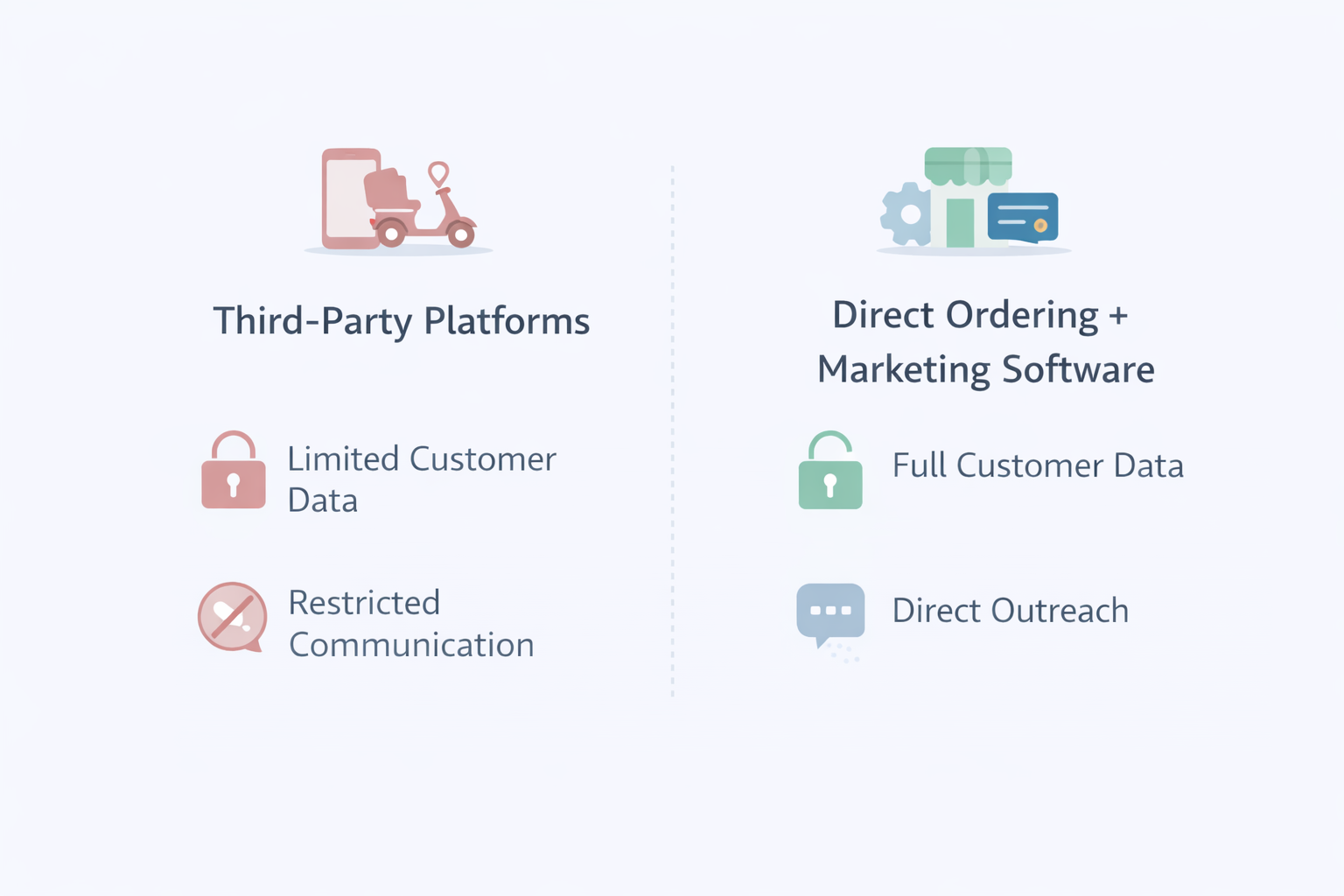
When your orders come through a third-party marketplace or a social media platform, you can’t build a close relationship with your customers. You have limited access to their details, like behavior history and re-engagement data.
You also can’t directly segment customers or communicate with them beyond what’s permitted. With restaurant marketing software, that data becomes usable.
You can create relevant groups, trigger follow-ups, and use targeted promotions to reach customers on your own terms.
2. Clear visibility into what customers order and respond to
Instead of guessing what’s working and what isn’t, you have numbers to rely on. The restaurant marketing software can link each campaign to order tickets and food items.
For instance, you might notice that “family combo” emails pull in more weekend orders, while “free dessert” performs better on weeknights. You can use this real order data to decide what to promote, when to promote it, and which customers are most likely to respond.
3. Always-on marketing without operational workload
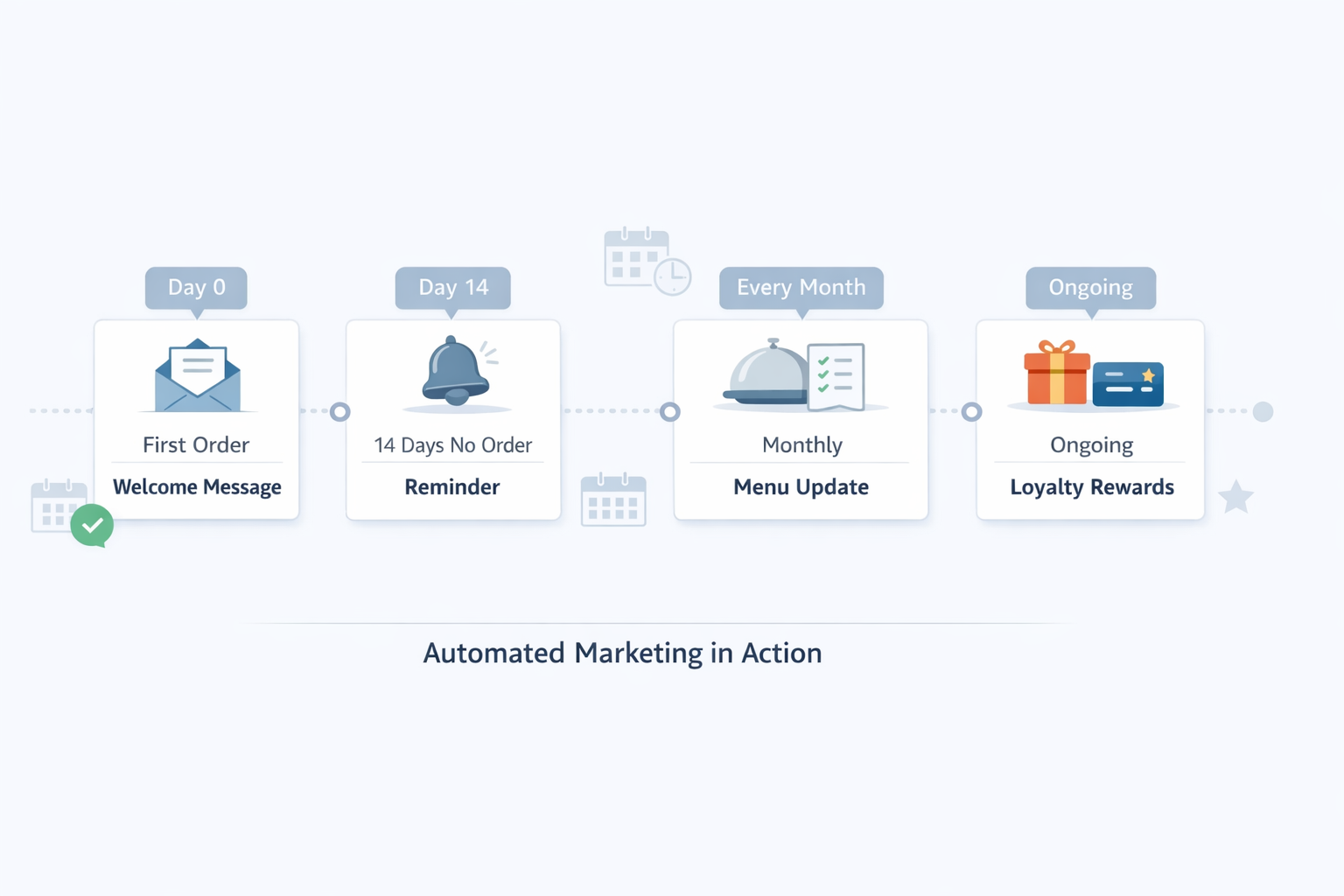
Most restaurants market in short bursts when things get quiet. With automation, you can set up specific campaigns once and have them run in the background every day.
For instance, you can schedule a monthly “new menu” announcement, send weekday lunch reminders to nearby offices, or automatically follow up the moment a customer places their first online order.
This helps you keep your marketing efforts active without adding repetitive work to your team.
4. More efficient growth economics
Over time, most paid advertising channels experience inflation as competition increases. So what cost you $10 or $100 per customer a few years ago can become a significantly larger amount with no guarantee of loyalty.
Restaurant marketing software lets you shift part of that growth away from paid acquisition and toward repeat customers you’ve already worked to acquire.
What Features Should Restaurant Marketing Software Include?
Some restaurant marketing tools focus on a single function, such as applying discounts or reporting performance, while others combine multiple features into one platform.
As you compare options, focus on the features that help you understand your customers, improve guest retention, and reduce the amount of manual work your team has to manage. Below is an overview of the essential elements your marketing software should have:
1. Customer Data Management (CRM)
Restaurants gather customer data from ordering activity, reservations, loyalty participation, feedback submissions, and mobile app interactions.
Marketing software aggregates and reconciles this information to create unified customer profiles linked to known identifiers, such as email or phone number.
The consolidated guest database equips you to analyze order history, visit frequency, inferred item preferences, and communication consent status.
Segmentation tools then group your customers based on behavioral signals, spend thresholds, or time since last visit, making it easier for you to target outreach without switching between systems.
2. Promotion and offer rule engine
Restaurant marketing software lets you place promotional banners or messages directly within your online ordering flow, including the menu, cart, and checkout screens. Professional food photos can increase online order volume significantly.
You can define rules, such as eligibility windows, visit thresholds, or spend requirements. Once set, the software applies them during checkout and logs each redemption, enabling you to link relevant targeted promotions to completed orders and attributable revenue.
3. Native mobile app builder
Many marketing software offer branded iOS and Android apps that integrate with your restaurant’s ordering system and customer database. These apps preserve login details, saved orders, loyalty balances, and payment methods within a persistent, first-party environment.
Because in-app activity is associated with a known customer profile, parameters like repeat visits and reward eligibility can be reflected directly in the app experience.
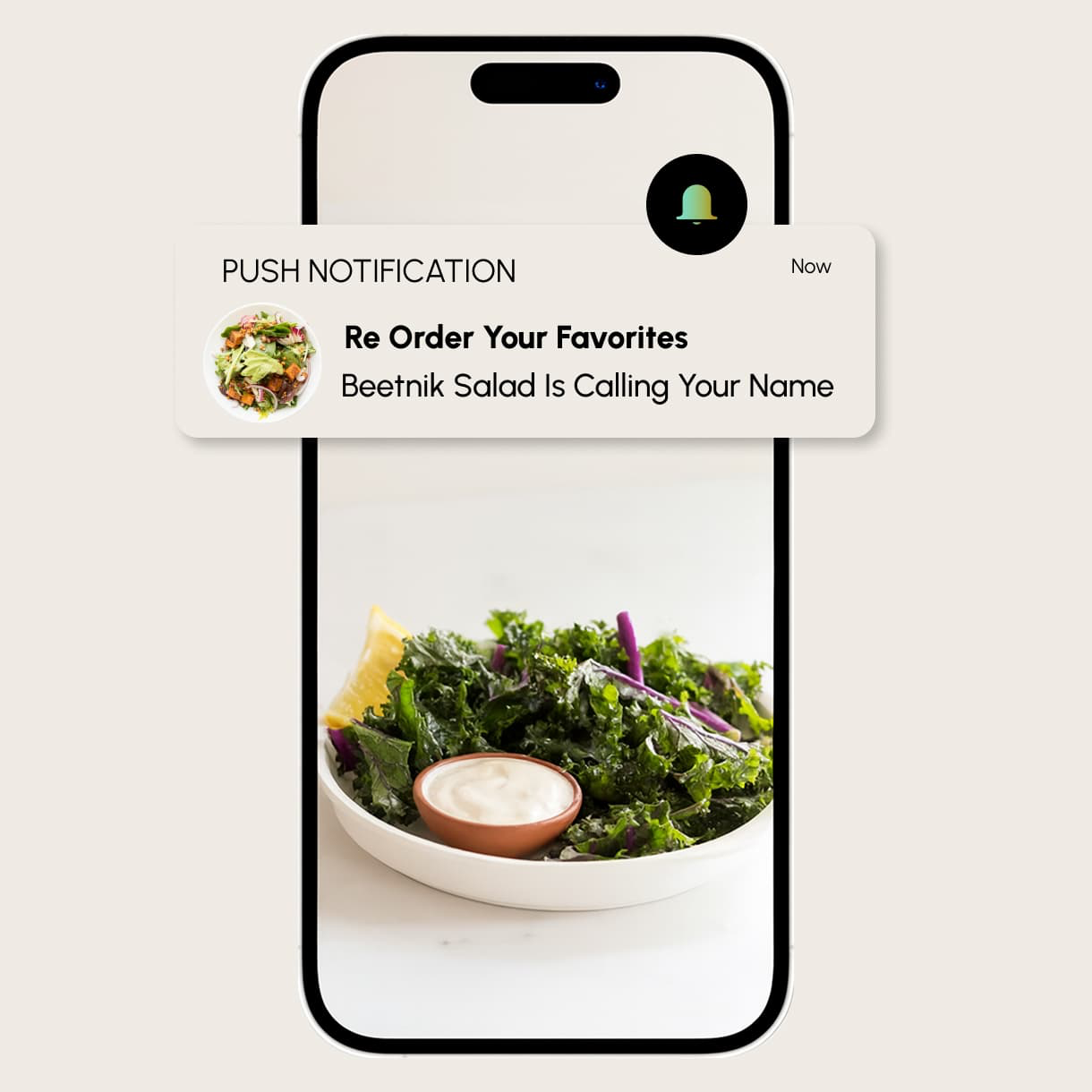
Push notifications are triggered by customer behavior, such as a first purchase or a visit gap. You control the targeting and timing. The mobile operating system handles delivery, giving you a direct communication channel outside marketplace algorithms.
4. Marketing performance analytics
Your marketing software should help you connect customer activity, promotions, and order data so you can understand what’s contributing to sales.
The analytics module in the marketing software captures order data, customer actions, redemption events, and campaign interactions as they’re processed across connected systems. Performance tracking analyzes email open rates and campaign effectiveness.
You can review traffic patterns, product performance, and repeat visit trends from a single dashboard. Additionally, filters in advanced reports allow you to break down activity by date range, customer segment, or location.
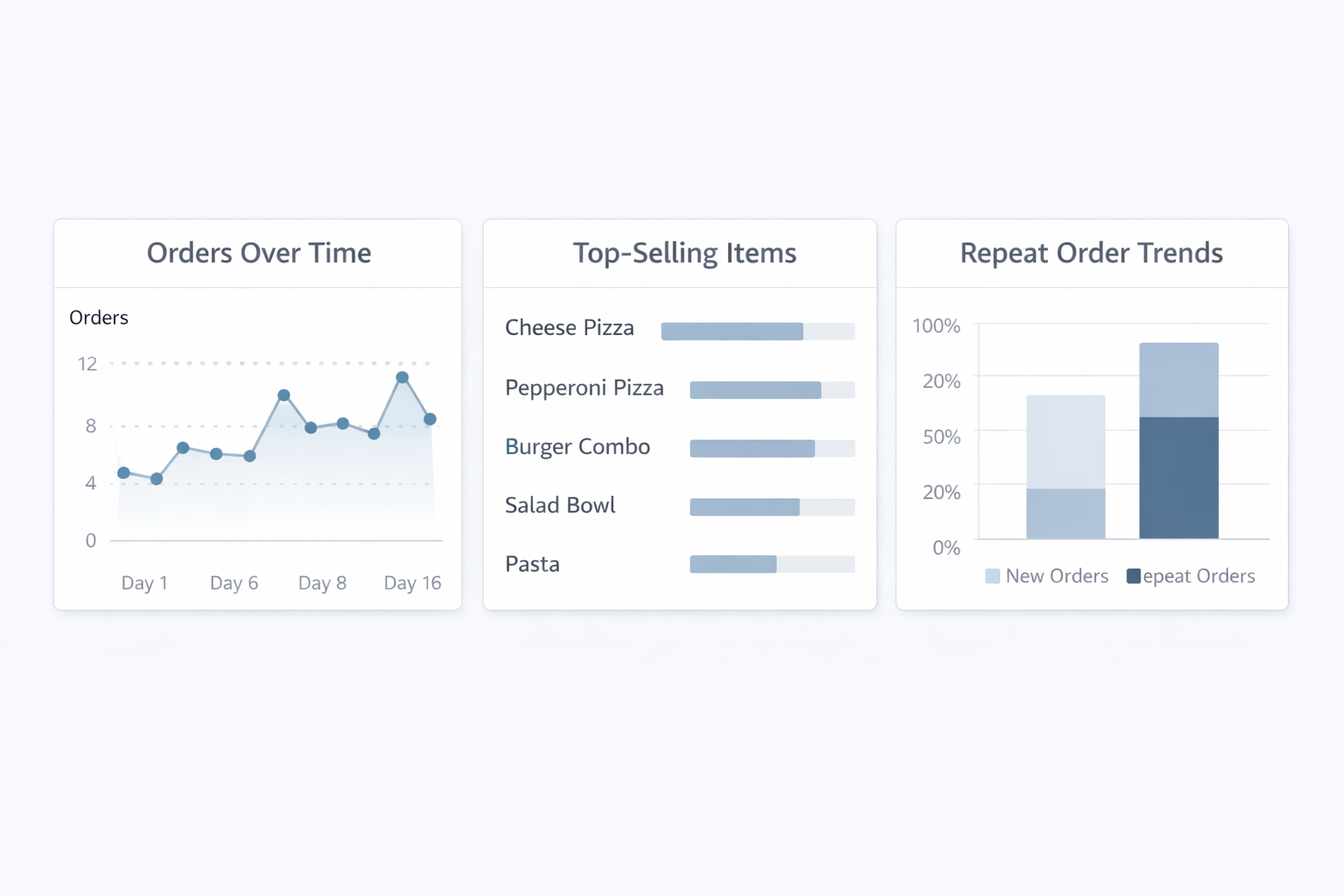
You can also combine this information with tools such as Google Analytics when you want a broader picture of how customers discover your restaurant, interact with your digital channels, and ultimately place an order.
Inside Restolabs: You can access restaurant analytics from the Restolabs dashboard. Reports are generated from direct online orders and show total orders, revenue, taxes, tips, discounts, and payment details for a selected time period.
You can review item and menu reports to understand how individual items perform, including quantities sold, top sellers, and low-performing items, with filters for date range and location. All reports can be filtered and exported for external review or planning.
5. Loyalty program management
Loyalty programs are typically managed by the ordering or loyalty system. Marketing software integrates with it to track balances, earning events, and redemptions across online ordering, mobile apps, and POS-linked dine-in transactions.
This allows you to reward customer behavior over time and support guest retention without managing loyalty activity separately across different systems.
When needed, the restaurant marketing software also supports integrations with external loyalty providers, such as Punchh or Paytronix, for stored-value programs, tier structures, and multi-location deployments.
For multi location operators and larger restaurant groups, this becomes particularly important because customers may order or redeem rewards across more than one location.
6. Email campaign segmentation and sync
Your email marketing becomes more useful when customer lists are tied to actual purchase behavior rather than manual exports. Restaurants can generate up to $44,000 with email marketing.
You can create groups, like “ordered once in the last 30 days,” “high-spend weekend visitors,” or “lapsed lunch diners.” These segments update automatically as new orders come in.
These segments give your marketing teams a more useful basis for planning messages around customer behavior instead of sending the same campaign to everyone.
Depending on the platform, segments may update as new orders come in, helping you run more relevant restaurant marketing campaigns as customer behavior changes.
When you’re ready to launch a campaign, lists can be synced to external email marketing software for restaurants without reformatting, or messages can be sent directly from the platform if built-in email delivery is supported.
Which Restaurant Specific Marketing Software Should You Compare?
When you compare the best restaurant marketing tools, the right choice depends less on which platform has the longest feature list and more on what you actually need it to handle.
A small restaurant may only need straightforward ordering, promotions, loyalty, and customer insights, while larger restaurant groups may need deeper integrations, stronger analytics, and controls that work across multiple locations.
You should also look at whether you’re buying several separate paid tools or choosing a more restaurant specific platform that brings ordering, customer data, advanced analytics, promotions, and other functions together.
Here’s a bird’s-eye view of how these restaurant marketing tools stack up:
How Should Marketing Software Fit Your Restaurant Operations?
Let’s check out the steps you need to take to select a marketing software that’s right for you:
1. Establish your marketing goals and audit the customer data you already have
First, outline the specific tasks you want the software to handle. That might include visit-gap outreach, scheduled marketing campaigns, loyalty tracking, or item-level insights into what customers actually order.
You should also decide which parts of your wider marketing stack matter most to you.
For example, you may already use separate tools for social media management, review management, local SEO, or Google Ads and only need your restaurant marketing platform to complement those activities rather than replace them.
Restaurants using Google Business Profile see increased local search visibility. Review management and online reputation monitoring are crucial for restaurants. A single star increase can boost revenue by 5-9% – this comes from an old Harvard study but still holds true
Multi-channel communication allows management of email and social media from one place. Once you create the list, assess the data you already have. Your POS platform likely logs transaction details.
Your online ordering system, on the other hand, may only store customer identifiers, order frequency, and purchase patterns.
You may also collect information through loyalty sign-ups, guest surveys, or other direct interactions, giving you additional context about the customers you serve. Automated feedback surveys can rectify negative experiences quickly.
Finally, look for gaps that could limit the software’s functionality. For example, you may have repeat orders without full contact details, or item-level data that isn’t consistent across channels. These gaps affect what you can automate, segment, and measure.
2. Match the software to your restaurant type and monthly order volume
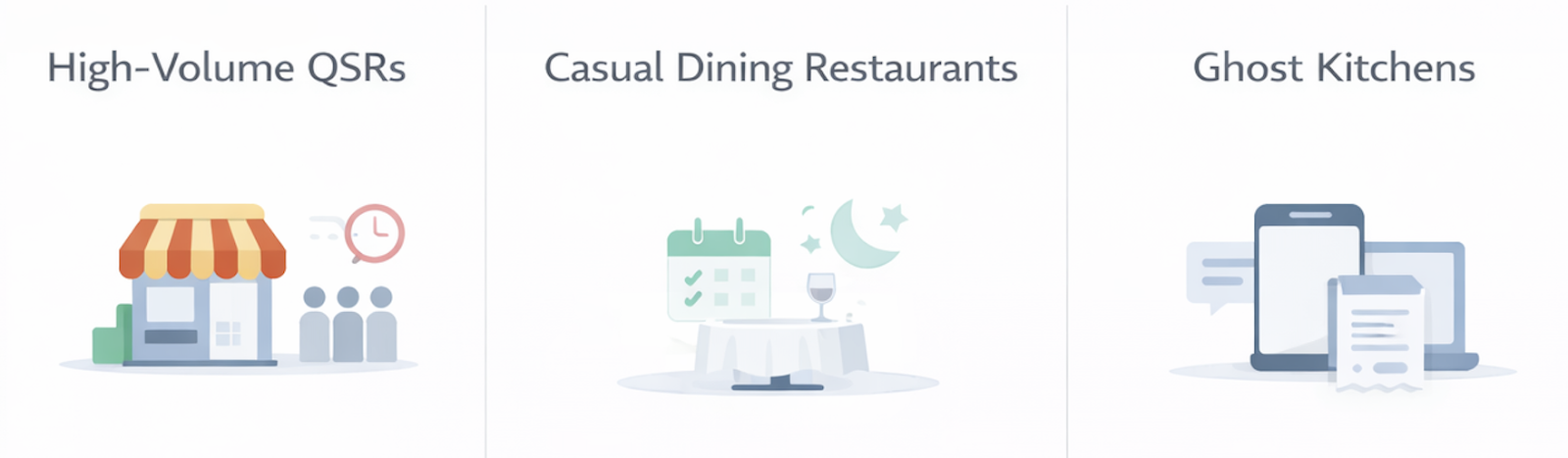
Your service model shapes the type of marketing software you’d need. For example:
- High-volume QSRs need predictable handling of frequent orders, predictable rushes, and time-based promotions.
- Casual dining restaurants benefit more from visibility into reservation patterns, visit timing, and evening or weekend peaks.
- Ghost kitchens face a different challenge altogether: consistently identifying customers across fully digital orders.
Order volume matters as much. For instance:
- A single-location restaurant with 700–1,000 monthly orders may need straightforward segmentation and basic loyalty rules.
- A multi-location group with thousands of monthly orders will require stronger data cleaning, cross-location consistency, and more advanced automation capabilities.
If you have presence in multiple locations, you should also check whether customer profiles, promotions, reporting, and access permissions can be managed consistently across the business rather than location by location.
Multi-location groups see a 25% increase in Google review volume.
3. Validate the depth of POS, online ordering, and delivery integrations
The strength of marketing software depends heavily on its connection to your existing systems.
- Some integrations are shallow and sync little more than order totals.
- Deeper integrations, on the other hand, record modifiers, timestamps, and fulfilment types, such as dine-in, pickup, or delivery
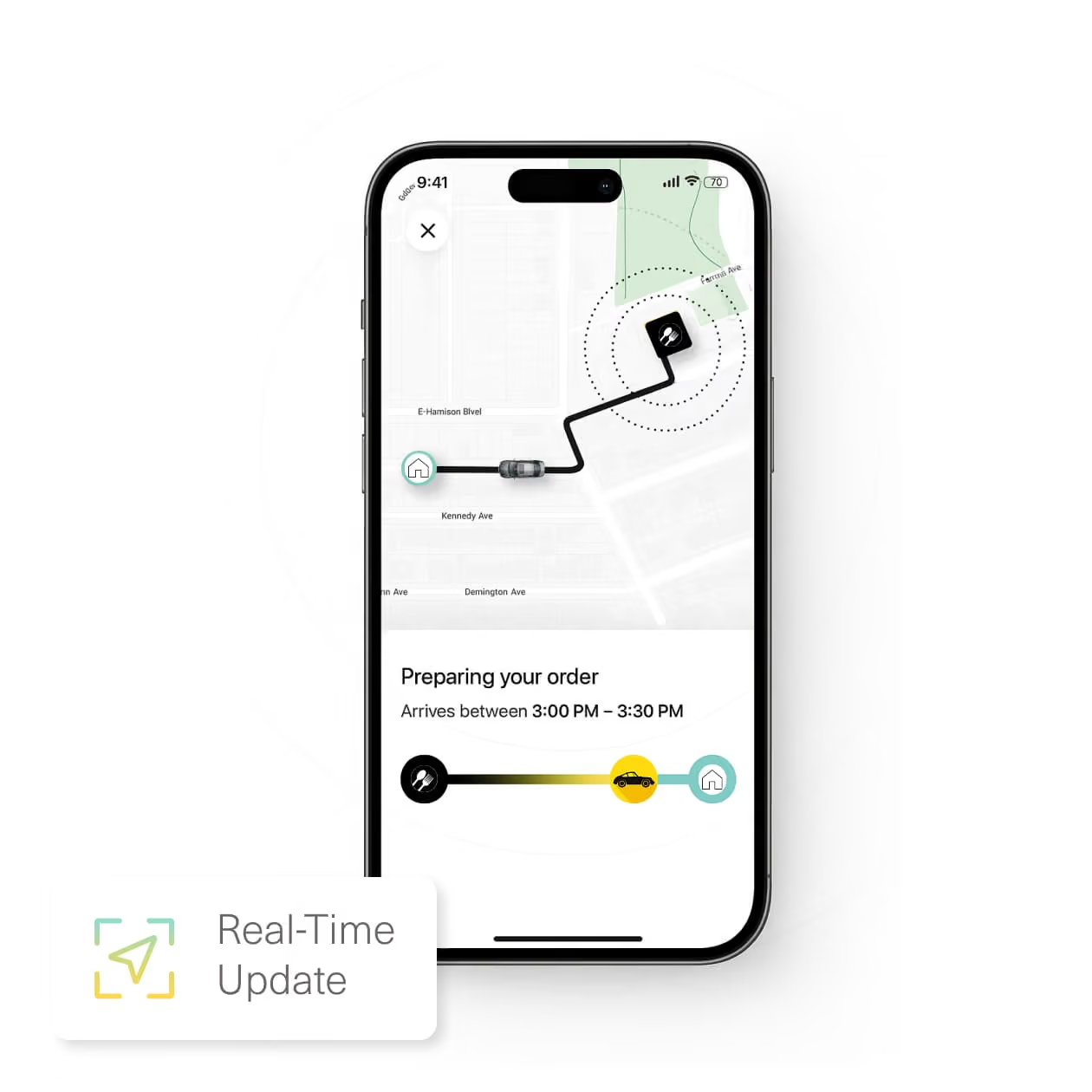
Therefore, when evaluating a software, confirm the level of detail it receives from your POS and ordering tools, as well as how frequently that data refreshes. Sync timing affects how quickly campaigns and segments respond to customer activity.
In addition, if you work with delivery partners, verify whether the integration captures status updates, cancellations, and fee adjustments. The more complete the sync, the more accurate your segmentation, reporting, and automation will be.
4. Separate what the software automates from what your team must manage
Different restaurant marketing software handles automation differently. So it’s essential to get a clear view of what it manages independently and what still depends on your team.
List the actions you want to automate, like awarding loyalty points, sending scheduled messages, or activating time-based promotions.
Confirm how each workflow functions inside the software. Some automations fire based on customer behavior; others rely on fixed schedules.
Review how promotions are applied in software. Can it automatically apply coupon rules at checkout? Or does it require manual validation by your team?
In addition, if you plan to use push notifications or in-app messages, check whether they trigger from real-time events or from periodic data syncs. A slow trigger can affect the accuracy of your outreach.
5. Confirm data ownership, access rights, and export terms before signing
Check whether the restaurant marketing software allows full access to your customer profiles, contact information, order history, and engagement metrics. Some providers restrict exports, hide advanced fields behind premium plans, or limit how your own data can be used.
In addition, look for clauses related to data portability. If you ever decide to switch restaurant marketing tools, you should be able to take your customer database with you. Any restrictions on exports or API access can make this migration costly or complicated.
6. Project the actual cost over 24 to 36 months, not just the monthly price
The monthly price you see upfront is rarely the full cost of running marketing software. Therefore, start by looking at the base subscription and what it actually includes.
Some providers bundle features like segmentation, email exports, and analytics into the core plan. Others reserve these capabilities for higher tiers.
Next, understand how pricing changes as you grow. Platforms may charge more for additional locations, larger contact lists, or higher message volume.
These variables can quickly increase costs, so check whether upgrades are optional or required to maintain specific integrations or data limits.
Finally, review the contract for line items such as onboarding fees, API access, premium reporting, or add-on modules.
You should also consider whether the platform replaces other tools you already pay for or simply adds another subscription to your existing stack.
When you project these costs over 24 to 36 months, you get a more realistic view of what the software will cost and whether it fits your expected order volume and customer base.
Why Choose Restolabs for Your Restaurant Marketing?
By now, you’ve seen that choosing a restaurant marketing software isn’t about chasing features or trends. It’s about deciding how much control you want over your customer relationships and how much effort you’re willing to spend managing disconnected tools.
When the right system is in place, marketing feels less like a separate task and more like a continuation of your daily operations. Your data stays in one place. Campaigns run without constant follow-ups.
You can see what’s working, adjust what isn’t, and move forward without second-guessing every decision. That’s the lens you should use as you evaluate your options.
The right platform should fit the way your restaurant operates today while giving you enough flexibility to support growth, whether that means bringing back existing customers or reaching new customers over time.
Start with a small setup. Watch how customers respond. Build from there.
The good news? Restolabs is perfect for that kind of steady approach. It brings online ordering, customer data, promotions, loyalty, and delivery into one system, so you’re not stitching things together as you grow.
That connection matters because your marketing activity is tied more closely to the transactions and customer behavior happening inside your restaurant, giving you a clearer foundation for decisions designed to drive revenue and strengthen repeat business.
The results from Pizza Pirates offer a good example. Aditya Raolji reported a 25% month-on-month surge in online orders after moving to Restolabs, with zero additional marketing, while also saving significant time on manual phone-order entry.
If you want to see how this would work for your restaurant, you can book a quick demo with Restolabs and walk through your current setup. You’ll get a clear sense of what’s involved, what it costs, and whether it feels right for the way you operate.

Asavari drives content development at Restolabs. With over a decade of experience partnering with fast paced technology and marketing teams, she turns complex product and industry details into clear, meaningful communication for restaurant partners.
Frequently Asked Questions
There isn’t one tool that’s right for everyone. The best option is the one that matches your order volume, works smoothly with your POS and online ordering system, and supports the marketing channels that matter most to your restaurant. Your restaurant marketing platform can be an important marketing tool for customer retention, but you may still use separate tools for local SEO, reputation management, or managing your Google Business Profile. Restolabs is a solid choice if you want online ordering, customer data, promotions, loyalty, and delivery in one place without percentage-based fees.
SMS marketing software sends text messages to customers based on their behavior or when they last ordered. For example, you can use it to engage guests after their first order, when they haven’t ordered in a while, or when they earn a reward. You choose who gets the message and when it goes out. The system handles delivery and tracks redemptions, helping you save time while keeping outreach active alongside your other social media platforms and digital channels.
Pricing depends on the features you use, the number of locations you have, and the number of customers you’re messaging. A single location may pay a few hundred dollars a month for basic tools, while multi location groups may pay more for automation, analytics, higher message volumes, and additional user access. The key is to look beyond the base price. Extra fees for add-ons, upgrades, integrations, or commission fees can significantly change the real cost over time.
Yes, when it’s used consistently. Marketing software helps you stay in touch with customers across your own channels instead of relying solely on ads, social accounts, or other platforms to generate demand. You can send reminders, share offers, and follow up automatically based on real ordering activity. Placing promotions directly within your menu pages and online ordering flow can also support online sales because customers see relevant offers while they’re deciding what to order.
Delivery apps help you get orders, but they limit how much you can do with customer data. You don’t fully control communication, segmentation, follow-ups, or the customer relationship in the same way you can through your own marketing channels. Marketing software fills that gap. It helps you build repeat business from customers who already know your food while reducing your dependence on third-party platforms and their commission fees.





.webp)

.svg)
.webp)