
.avif)
Key Takeaways
- Relying only on third-party marketplaces costs margin and customer data on every order.
- Untrained staff create order errors that damage the guest experience before it begins.
- Disconnected POS and payment tools force manual re-entry and slow the kitchen down.
- An inaccessible or poorly optimized ordering site loses orders before checkout is reached.
- Poor packaging damages food quality in transit and reduces repeat order rates.
- A delivery-unfriendly menu creates confusion at checkout and increases refund rates.
- Making direct ordering hard to find across search, social, and owned channels means guests reach a competitor — or a marketplace — instead.
- Launching without a clear budget for startup costs, delivery fees, and break-even targets puts profitability at risk from day one.
Taking a restaurant online should make ordering easier, not add another layer of chaos to the kitchen. But when the launch is rushed, small gaps — unclear menus, untrained staff, weak local visibility — can turn digital ordering into missed tickets, frustrated guests, and lower repeat sales.
The bigger risk is control. If a restaurant relies only on third-party marketplaces, every order comes with commission costs and limited access to customer data. A direct online ordering system gives operators a cleaner path: keep more revenue, own the guest relationship, and build a system the team can actually manage.
That is why the launch strategy matters. A restaurant can technically start taking online orders through a marketplace, but every commission fee chips away at the value of the sale. A direct, commission-free system keeps the economics healthier from the first order. Use the commission savings calculator to see exactly what third-party fees are costing the business.
Mistakes to Avoid When Launching a Restaurant: What This Guide Covers
Launching a restaurant, launching online ordering, and launching a delivery operation are three distinct challenges — and most guides treat them as one. This article focuses on the digital and operational mistakes that hurt profitability, customer experience, and repeat sales, regardless of whether a restaurant is brand new or adding online ordering to an existing operation.
The mistakes covered here fall into three categories: strategic errors made before the first order arrives (budgeting, market research, concept clarity), operational errors that surface during the first weeks of service (staff training, integrations, packaging), and visibility errors that prevent the right customers from finding and ordering directly. Understanding all three is what separates a launch that builds momentum from one that stalls under the weight of its own gaps.
This guide focuses on the digital ordering angle specifically: how the technology, menu, team, and marketing decisions made at launch determine whether a restaurant keeps more revenue and owns its customer relationships, or whether every order comes with a commission cost and limited data access.
What Are Restaurant Delivery Services?
When a guest taps "order," the restaurant is not just accepting a ticket. It is triggering a chain of decisions: menu accuracy, payment, kitchen routing, packaging, delivery updates, and follow-up marketing. Restaurant delivery services are the tools and workflows that keep that chain from breaking.
In practice, restaurant delivery services fall into several categories:
- Direct online ordering — customers order through the restaurant's own website or branded app, and the restaurant keeps full margin and customer data.
- Third-party delivery marketplaces — platforms like DoorDash and Uber Eats handle discovery and sometimes delivery, but charge commission fees on every order.
- In-house delivery — the restaurant operates its own delivery fleet, giving full control over speed and customer experience.
- Local delivery network partnerships — regional delivery providers that handle logistics while the restaurant owns the ordering relationship.
- Pickup and takeout ordering — customers order ahead online and collect in person, with no delivery logistics required.
- Hybrid models — operators use direct ordering for repeat customers while maintaining marketplace listings for new guest discovery.
Understanding which model fits the restaurant's goals — and which combination protects margin — is the first step before any launch decision.
How Restaurant Delivery Services Work
Most operators understand the end result — food arrives at a customer's door. The part that breaks down is the workflow in between. Here is what a well-functioning delivery service flow looks like:
- Discovery: The customer finds the restaurant through Google, social media, or a marketplace listing.
- Menu browsing: They review the menu, check item descriptions, and select dishes.
- Order placement and payment: The customer places the order online and pays via card, digital wallet, or saved payment method.
- Order receipt and confirmation: The restaurant receives the ticket — ideally through a direct integration with the POS — and sends an automated confirmation to the customer.
- Kitchen preparation: The kitchen prepares the order with delivery packaging in mind.
- Delivery assignment: An in-house driver or integrated delivery partner picks up the order.
- Customer updates: The customer receives status notifications or live tracking if the system supports it.
- Delivery and feedback: The order is delivered, and a follow-up prompt collects a review or drives a repeat order.
Each handoff in this chain is a point of failure. The mistakes covered in this guide map directly onto those failure points.
Not Researching the Market and Target Customers
A restaurant can have excellent food, a clean website, and a working ordering system — and still underperform at launch because it never validated whether local demand exists for what it is selling, at the price point it is charging, through the channel it chose. Market research is not a startup formality. It is the input that shapes every other launch decision.
Before launch, operators should answer the following questions with real data, not assumptions. Who are the most likely delivery customers within the delivery radius? What do local competitors charge, and how do their menus differ? What are the top-performing cuisine types in the area based on marketplace search trends? What is the average order value customers in that neighborhood are willing to pay? Are there ordering behavior patterns — lunch versus dinner, weekday versus weekend — that should shape menu availability or staffing?
Skipping this step means launching on instinct rather than evidence. The restaurant may discover through refunds, low repeat rates, or slow order volume that the menu is priced incorrectly, the delivery radius is too wide, or the target customer prefers a cuisine style that is already well-served by competitors nearby.
Many of these challenges become even more expensive when restaurants rush the opening process, making careful launch planning and avoiding common restaurant startup mistakes just as important as market research.
How to fix it:
- Review local marketplace listings to identify competitor pricing, cuisine types, and menu structures before finalizing the launch menu.
- Use Google Trends and local search data to validate demand for the cuisine or service model in the target delivery area.
- Define the delivery radius based on realistic drive times and average order values — not on the maximum the system allows.
- Build a simple customer persona: who places a delivery order at this restaurant, at what time, and for what occasion?
- Test assumptions with a soft launch or limited menu before committing to a full-scale promotion push.
Skipping Licenses, Permits, and Compliance Requirements
A restaurant can be operationally ready to take online orders and legally unable to do so. Missing a food service permit, operating without the correct business license, or launching a website without the required privacy policy and payment security disclosures are all compliance gaps that can delay opening, generate penalties, or create liability risk after launch.
For online ordering specifically, compliance extends beyond the physical operation. Operators need to ensure the ordering platform meets payment security standards (PCI DSS), that a clear privacy policy explains how customer data is collected and used, and that the website meets accessibility standards — which are covered in more detail in the accessibility section below.
Pre-launch compliance checklist:
- Business operating license and food service permit — confirmed and current.
- Health inspection passed or scheduled before launch date.
- Liquor license in place if alcohol is included in delivery orders (jurisdiction-specific).
- Sales tax registration confirmed; tax rates applied correctly at checkout.
- General liability and commercial property insurance in force.
- Privacy policy published on the ordering website explaining data collection and use.
- Payment processing configured to meet PCI DSS standards.
- Website accessibility reviewed against WCAG 2.1 AA guidelines.
- Employee documentation, I-9 verification, and payroll registration completed before hiring for launch.
7 Restaurant Launch Mistakes That Hurt Online Orders, Profit, and Customer Experience
Before diving into each mistake in detail, here is a summary of the business risk and the recommended fix for each one.
Relying Only on Third-Party Delivery Marketplaces
Marketplaces can help with discovery. But they are expensive places to build a long-term ordering strategy. When every repeat customer comes through a third-party app, the restaurant keeps paying for demand it may have already earned — in the form of commission fees that can run 15–30% per order.
A direct online ordering system changes that equation. Restaurants can send guests to their own branded ordering page, avoid commission fees, and keep access to the customer data needed for loyalty and repeat marketing. The goal is not to replace every marketplace overnight; it is to make direct ordering the default for repeat guests while using marketplaces only where they still create discovery.
Restolabs supports 2,000+ restaurants across 10+ countries with commission-free online ordering, expert setup, flexible contract-free plans, and tools built for restaurant teams that need a system they can actually run during service.
Customer data is not just a reporting detail. It is what allows a restaurant to understand repeat guests, promote the right offers, and build loyalty without depending entirely on third-party platforms. Use the commission savings calculator to see what the current fee structure is costing the business.
How to Fix Marketplace Dependence:
- Set up a direct, commission-free ordering channel as the primary ordering destination.
- Add direct ordering links to the restaurant website, Google Business Profile, and social media profiles.
- Use marketplace listings for new guest discovery, not as the default channel for repeat customers.
- Track the split between direct and marketplace orders monthly and shift promotion toward the direct channel over time.
Making Direct Ordering Hard to Find
A direct ordering page cannot build momentum if guests never see it. If Instagram, Google Business Profile, email campaigns, receipts, and the restaurant website still point to marketplace links, the restaurant trains customers to order through the most expensive channel.
Every owned touchpoint should make direct ordering easy: social bios, Google Business Profile, menu pages, QR codes, email, SMS, packaging inserts, and in-store signage. The easier it is to move from discovery to direct checkout, the less likely the restaurant is to lose the order to friction or third-party fees.
Promotion should start before launch, not after. Pre-launch announcements, first-order discount codes, and a consistent direct ordering link across every customer touchpoint all help shift volume from third-party apps to owned channels.
Local search only helps if it sends guests to the right place. When a hungry customer taps "Order Online," that click should lead to the restaurant's direct ordering page, not a marketplace that takes a commission and controls the customer relationship.
Operators should keep hours, menu links, photos, service areas, and reviews current on Google Business Profile. The easier it is to move from discovery to direct ordering, the less likely the restaurant is to lose the order to friction or third-party fees.
How to Fix Visibility and Promotion Gaps:
- Add the direct ordering link to every social media bio and profile CTA button.
- Include the ordering link in post captions and stories when promoting new menu items or offers.
- Announce the direct ordering launch at least one week early via email, SMS, and social posts.
- Offer a first-order incentive (discount, free item, or free delivery) exclusively through the direct ordering page.
- Add QR codes linking to the direct ordering page on receipts, packaging inserts, table tents, and in-store signage.
- Set up an email and SMS campaign series: launch announcement, first-order reminder, and reactivation for lapsed customers.
- Ask satisfied guests to leave Google reviews that mention online ordering — this supports both reputation and local search rankings.
- Run retargeting ads for guests who visited the ordering page but did not complete an order.
Local SEO checklist for restaurant delivery service near me searches:
- Claim and verify the Google Business Profile listing.
- Set accurate business hours, including holiday hours and special closures.
- Add the direct ordering link — not a marketplace link — to the "Order Online" button in Google Business Profile.
- Upload current photos of the menu, interior, and packaging at least once per quarter.
- Enable delivery and pickup attributes in the profile.
- Respond to every review — positive and negative — within 48 hours.
- Keep the restaurant name, address, and phone number (NAP) consistent across all online directories.
- Add menu schema markup to the restaurant website so Google can display menu items in search results.
- Build local citations on Yelp, TripAdvisor, and relevant local directories to reinforce NAP consistency.
Launching Without Staff Training and Clear Order Workflows
A new ordering system will not fix a messy handoff by itself. If the cashier, kitchen lead, and delivery team all interpret online tickets differently, the restaurant will feel the problem during the first busy shift — not in testing, but in front of real customers.
Before launch, operators should walk staff through the full order flow: how tickets arrive, how modifiers appear, how refunds are handled, and who owns delivery updates. A short practice run — even a Friday afternoon simulation with the team — can prevent the kind of confusion that turns a promising digital launch into a stressful one.
Beyond online order handling, pre-launch training should cover role-specific responsibilities across every shift position. The kitchen expo needs to understand how delivery tickets differ from dine-in checks. The shift manager needs escalation authority when a modifier is missing or an order goes missing in the queue. Front-of-house staff picking up takeout need to confirm order accuracy before handing off. None of this happens naturally — it requires written protocols and at least one full simulation before the first live order.
How to Fix Staff Training Gaps:
- Create written SOPs for receiving, confirming, and routing online orders to the kitchen.
- Run test orders before go-live to confirm every team member understands their role.
- Define escalation rules: who handles a missed order, a modification request, or a refund.
- Schedule a daily order audit during the first two weeks to catch recurring errors early.
- Run a mock service session that simulates a busy Friday shift — including edge cases like wrong modifiers, delivery delays, and refund requests.
- Conduct first-week performance reviews with the shift manager to catch recurring errors before they become habits.
- Use a platform with an intuitive interface — Restolabs is designed so staff can learn the ordering workflow quickly without lengthy onboarding.
Ignoring the Technology Stack Before Launch
An online ordering launch can look ready on the surface, then break down when orders have to be re-entered manually. That extra step slows the team down, creates room for mistakes, and makes reporting harder than it needs to be.
Before going live, restaurants should confirm how the ordering system connects with their POS and payment integrations, payment processor, and delivery workflow. Restolabs supports integrations — with expert setup included — that help operators keep digital orders moving without forcing staff to juggle disconnected tools.
How to Fix Integration Gaps:
- Map every system the kitchen uses — POS, payment terminal, delivery dispatch — before choosing an ordering platform.
- Test the full integration chain with a real order before going live with customers.
- Confirm that refunds, modifiers, and cancellations flow correctly through all connected systems.
- Review reporting: ensure that online orders appear in the same analytics dashboard as in-person sales.
- Confirm that customer communication tools — order confirmation emails, SMS status updates — are connected and tested from the customer's perspective before launch.
Not Ensuring Accessibility and Mobile Usability
Accessibility problems do not always look dramatic. Sometimes they show up as a guest who cannot read low-contrast menu text, select a required modifier, or complete checkout on a phone. The restaurant never sees that failed order; it simply disappears before the ticket reaches the kitchen.
Compliance matters, but lost revenue matters too. A mobile-first ordering flow should be readable, keyboard-friendly, screen-reader compatible, and clear when something goes wrong at checkout.
More than 60% of restaurant online orders now happen on mobile devices. An ordering experience that works smoothly on desktop but breaks on a phone is not ready for launch. Operators should test the full ordering flow on at least two mobile devices before going live — and repeat that test whenever a menu or layout change is made.
How to Fix Accessibility and Mobile Usability Gaps:
- Test the ordering page on iOS and Android devices at multiple screen sizes.
- Check color contrast ratios to ensure menu text is readable for guests with visual impairments.
- Confirm that forms, modifier selections, and checkout steps are navigable by keyboard.
- Add alt text to all food images so screen readers can describe menu items.
- Verify that error messages during checkout are clear and specific — not just a generic red highlight.
- Ensure the ordering page meets WCAG 2.1 AA standards to reduce legal risk and maximize ordering access for all guests.
Using Packaging That Hurts Delivery Quality
Delivery turns packaging into part of the meal. A guest does not see the pass, the plating, or the kitchen's timing; they see the container that arrives at the door. If it leaks, collapses, or traps steam, the restaurant's food takes the blame.
The food leaving the kitchen can be perfect. If the packaging fails in transit — spilled soup, soggy fries, a collapsed container — the guest's experience is defined by the packaging failure, not the kitchen's skill. That impression is what drives the review and the repeat order decision.
Good packaging protects food quality, reinforces brand identity, and signals professionalism. It is one of the few elements of the delivery experience the restaurant controls entirely.
Packaging checklist by consideration:
- Heat retention: Use insulated containers for hot dishes; avoid ventless lids that trap steam and create sogginess.
- Spill prevention: Choose containers with secure, stackable lids; package soups and sauces in leak-proof separate containers.
- Tamper-evident seals: Use stickers or sealed bags to signal that the order has not been opened since leaving the kitchen.
- Portion integrity: Right-size containers so food does not shift in transit.
- Sustainable materials: Compostable or recyclable packaging reduces environmental impact and appeals to a growing segment of delivery customers.
- Branding: Custom-printed bags, stickers, or inserts reinforce restaurant identity at the doorstep — a moment when the guest is paying full attention.
Launching With an Overcomplicated or Delivery-Unfriendly Menu
A dine-in bestseller is not automatically a delivery bestseller. A dish that looks impressive at the table can arrive soggy, shifted, or unrecognizable after 20 minutes in a delivery bag. That gap between expectation and arrival is where refund requests, poor reviews, and lost repeat orders start.
Menu complexity is a parallel risk at launch. A menu with too many items strains kitchen capacity, increases ingredient waste, slows prep times, and creates more surface area for errors. Operators launching for the first time — or adding online ordering to an existing operation — should consider starting with a tighter menu of high-margin, operationally simple dishes that also travel well. It is easier to add items after launch than to manage the refunds and reviews that come from an overloaded kitchen trying to execute 80 SKUs during a busy Friday dinner push.
Operators should prioritize items that travel well, use clear modifiers, include accurate descriptions, and avoid choices that create confusion at checkout. Delivery-only combos and bundles can also increase average order value without requiring a full menu overhaul.
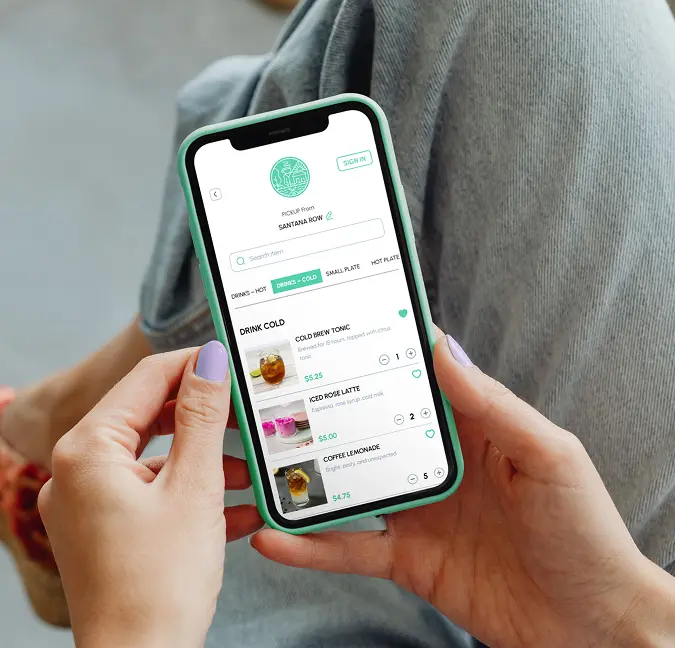
Operators should build delivery menus around items that travel well, use clear modifiers, and set accurate expectations. Restolabs helps restaurants share menus online, adjust item availability, and keep the ordering flow clear so guests do not hit unavailable items or confusing checkout choices.
How to Fix Menu Complexity and Delivery Quality:
- Audit the current menu and flag items that have high refund rates or negative delivery reviews.
- Remove or modify items that do not travel well — dishes that rely on texture, temperature separation, or visual plating.
- Create delivery-specific item names or descriptions that set accurate expectations.
- Add a "best for delivery" label to high-confidence items to guide first-time delivery customers.
- Test every menu item for travel quality before adding it to the delivery menu.
- Build delivery-only bundles around high-margin dishes that package well.
- Start with a smaller launch menu — 15 to 25 items — and use ingredient overlap to reduce waste while maintaining variety.
- Review prep time for each item against kitchen capacity; remove dishes that create bottlenecks during peak ordering hours.
Underestimating Launch Costs, Delivery Fees, and Profit Margins
Understanding the real cost of each delivery order is not optional — it is the foundation of a profitable delivery strategy. Restaurants that launch without a clear picture of their delivery economics often find that volume increases while margin shrinks.
Not Budgeting for Launch Costs and Cash Flow
Delivery fees are one line item in a much longer cost picture. Restaurants that launch without a full budget often underestimate pre-opening costs, fail to maintain a cash reserve for the first 60–90 days, and discover too late that their break-even order volume is higher than their current demand. The table below outlines the categories that operators should budget for before going live.
Break-even example: A restaurant with $8,000 in monthly fixed costs and a food cost of 30% needs approximately $11,430 in monthly revenue to break even. At an average order value of $35, that is roughly 327 orders per month — or about 11 orders per day. Modeling this before launch determines whether the delivery radius, pricing, and marketing plan are realistic.
A restaurant doing 200 delivery orders per month at an average order value of $35 through a marketplace at 25% commission is paying approximately $1,750 per month in platform fees. The same volume through a direct online ordering system at a flat monthly rate keeps that $1,750 in the business. Use the commission savings calculator to run the numbers for a specific restaurant's situation.
Ignoring the Business Plan and Launch KPIs
A restaurant that launches without defined success metrics has no way to know whether the first month went well or poorly — only that orders came in or they did not. The difference between an operator who adjusts quickly and one who runs the same underperforming playbook for six months is usually whether they tracked the right numbers from day one.
Before launch, operators should define the metrics they will track weekly during the first 90 days. These are not vanity numbers — they are early warning signals that indicate whether the menu, pricing, marketing, and operations are working as intended.
First 30-day launch metrics to track:
- Daily and weekly order volume — is volume growing, flat, or declining?
- Average order value (AOV) — is the menu priced to hit the break-even model?
- Food cost percentage — is the kitchen executing the menu within the targeted margin?
- Refund rate — are refunds concentrated on specific menu items or packaging categories?
- Repeat order rate — what percentage of customers place a second order within 30 days?
- Direct vs. marketplace order share — is the direct channel growing relative to marketplace volume?
- Review rating trend — are ratings stable, improving, or declining after launch?
- Customer acquisition channel — where are first-time customers discovering the restaurant?
Restaurant Delivery Services Launch Checklist
Before switching the ordering system to live, operators should be able to check every item on this list. The checklist is organized by category so gaps can be identified quickly without reviewing the full list every time.
Financial Readiness
- Launch budget is documented with all cost categories covered including permits, payroll, inventory, packaging, software, and marketing.
- Break-even order volume is calculated and the current marketing plan is realistic to achieve it.
- Cash reserve covers at least 60 days of operating costs before the first order.
Licensing and Compliance
- Business license and food service permit are confirmed and current.
- Health inspection is passed or scheduled before launch.
- Privacy policy is published and payment processing meets PCI DSS standards.
Menu Readiness
- Menu is reviewed for delivery suitability — fragile or impractical items are removed or adjusted.
- All menu items have accurate descriptions, pricing, photos, and modifier options.
- Every menu item has been tested for travel quality before going live.
- Packaging is sourced and tested for each item category.
Technology Readiness
- Direct ordering channel is set up and tested end-to-end with a real order.
- POS and payment integrations are confirmed to work without manual re-entry.
- Payment options — card, digital wallet, tip — are configured and tested at checkout.
- Order confirmation and status update messages are configured and tested from the customer's perspective.
- Accessibility check is complete: mobile usability, contrast, keyboard navigation, and form labels.
Staff Readiness
- Staff have completed a full-flow training session including test orders and mock service simulation.
- Written SOPs exist for order receipt, kitchen routing, modifications, refunds, and escalations.
- Customer support process is defined: who handles complaints, refund requests, and missed orders.
- Delivery zone and minimum order amount are clearly defined and communicated to the team.
Marketing Readiness
- Launch promotion is ready: first-order incentive, social posts, email announcement, and QR codes.
- Google Business Profile is updated with current hours, photos, and a direct ordering link.
- Direct ordering link is published in all social media bios and profile CTA buttons.
Post-Launch Measurement
- Analytics are set up to track order volume, average order value, channel split, and refund rate from day one.
- A 30-day review is scheduled to assess menu performance, refund causes, review trends, and direct order share growth.
Choosing the Right Restaurant Delivery Service Model
Not every delivery model fits every restaurant. The right choice depends on order volume, delivery radius, available staff, margin targets, and how much control the operator wants over the customer relationship.
For multi-location restaurants, the question is not just whether the platform can take orders. It is whether every location can manage menus, pricing, delivery zones, and reporting without creating a mess for the head office. A scalable direct ordering system should give operators local flexibility without losing brand-level control. Restolabs supports multi-location restaurant operations with tools designed to maintain consistency across locations while allowing each site to manage its own menu availability and delivery settings.
How to Launch With More Control From Day One
Online ordering works best when it is built around the way the restaurant actually operates. The menu should be easy to order from, the team should know how tickets move, and every customer touchpoint should lead back to a direct ordering experience.
Restolabs helps restaurants launch commission-free online ordering with expert setup, flexible contract-free plans, and integrations for smoother daily operations. With expert setup from Restolabs, restaurants can start selling online in as little as one day while keeping orders, customer data, and repeat marketing under their own brand.
Launch direct online ordering without giving up margin or customer data
Restolabs helps restaurants take commission-free orders, own customer data, and simplify daily ordering workflows with expert setup and flexible contract-free plans.

Team Restolabs is a group of hospitality tech experts, strategists, and innovators dedicated to helping restaurants thrive in the digital age. With deep expertise in branding, growth, product development, and restaurant technology, we provide insights on scaling, streamlining operations, and enhancing customer experience.
Frequently Asked Questions
The most common mistakes include underestimating startup costs and cash flow needs, skipping market research and customer validation, launching without a clear staff training plan, relying entirely on third-party delivery marketplaces, failing to build a delivery-friendly menu, and neglecting to make the direct ordering channel easy to find across Google, social, and the restaurant website.
Restaurant openings carry high financial risk because of significant upfront costs, thin margins, unpredictable demand, and the operational complexity of managing food, staff, suppliers, and customer experience simultaneously. Many restaurants underestimate how long it takes to reach break-even order volume and run out of cash before the business gains traction. Online ordering adds a digital layer of risk — the wrong platform choice, poor menu setup, or reliance on commission-heavy marketplaces can compound the financial pressure from the first week.
The three C's in a restaurant are consistency, customer experience, and cost control. Consistency means every guest receives the same quality of food and service regardless of which shift is working. Customer experience covers the entire interaction from discovery to delivery feedback. Cost control means understanding the real economics of every order — food cost, labor, packaging, and delivery fees — and building operations that protect margin as volume grows.
The 30/30/30 rule is a rough guideline for restaurant cost allocation: approximately 30% of revenue on food and beverage costs, 30% on labor costs, and 30% on operating expenses such as rent, utilities, and overhead. The remaining 10% represents potential profit. In practice, delivery operations can compress this margin further through platform commissions, packaging costs, and refund rates — which is why shifting volume from marketplace orders (15–30% commission) to direct ordering (flat monthly fee) has a measurable impact on profitability.
Most advisors recommend having enough cash to cover 3–6 months of total operating costs before opening. This includes rent deposits, equipment, initial payroll, opening food inventory, permits, marketing, and a contingency reserve. For restaurants launching online ordering specifically, add the cost of the ordering platform, packaging, and a launch promotion budget. The goal is to reach stable order volume before cash reserves run out, which typically takes 60–90 days after a well-planned launch.
Restaurant delivery services include all the systems and workflows that allow customers to order food online and receive it at their location. This covers direct online ordering platforms, third-party delivery marketplaces, in-house delivery fleets, local delivery network partnerships, and pickup or takeout ordering. A complete delivery service also includes ordering technology, payment processing, delivery logistics, customer communication, and local discovery.
Most restaurants use one of five delivery models, or a combination of them: direct online ordering, third-party marketplace ordering, in-house delivery, local delivery networks, and hybrid models. Direct ordering is the strongest model for repeat business because the restaurant keeps the customer relationship and avoids marketplace commissions.

.jpg)
.jpg)
.jpg)



.webp)

.svg)
.webp)