
.avif)
Key Takeaways
- A branded mobile ordering app gives repeat customers a faster way to order directly from your restaurant.
- The app creates the most value when it connects with your menu, POS, kitchen, payments, loyalty program, and delivery workflow.
- Saved orders, personalized rewards, and relevant menu prompts can encourage repeat purchases and increase average order value.
- Your menu accuracy, kitchen routing, order capacity, and promotion plan determine how useful the app becomes.
Did you know when ordering delivery or takeout, 58% of customers prefer to use a restaurant’s own website or app? But that preference only matters when the experience feels as quick and convenient as using a third-party marketplace.
A mobile app for restaurant ordering can close that gap by giving repeat customers a direct route back to your menu, payments, rewards, and previous orders.
This guide explains how it compares with your other ordering channels, where it can improve repeat ordering and restaurant operations, which features matter most, and how to evaluate its fit and cost before you commit.
What Is a Restaurant Mobile Ordering App?
It’s a branded iOS or Android app that lets customers place orders directly with a restaurant rather than through a third-party marketplace.
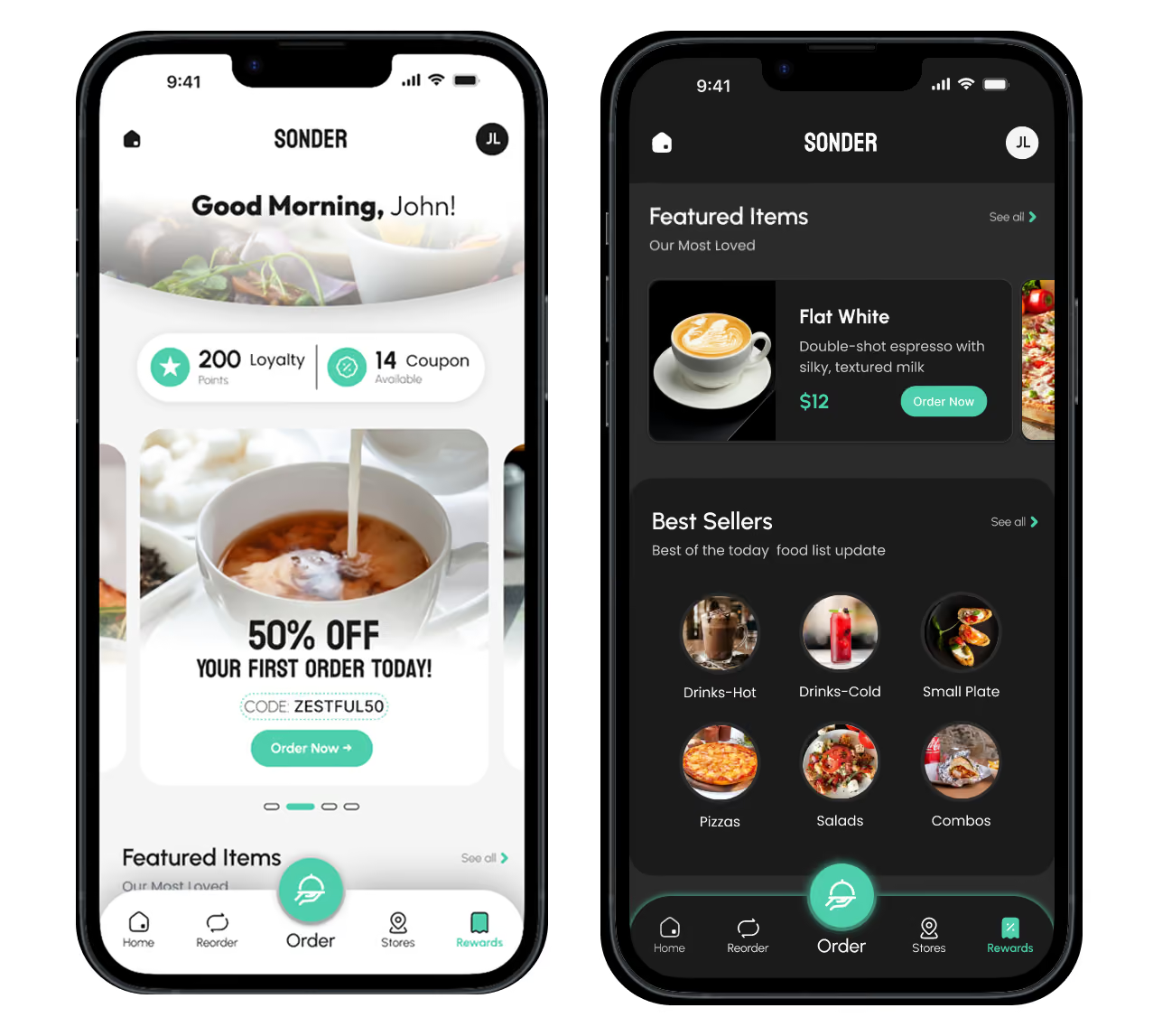
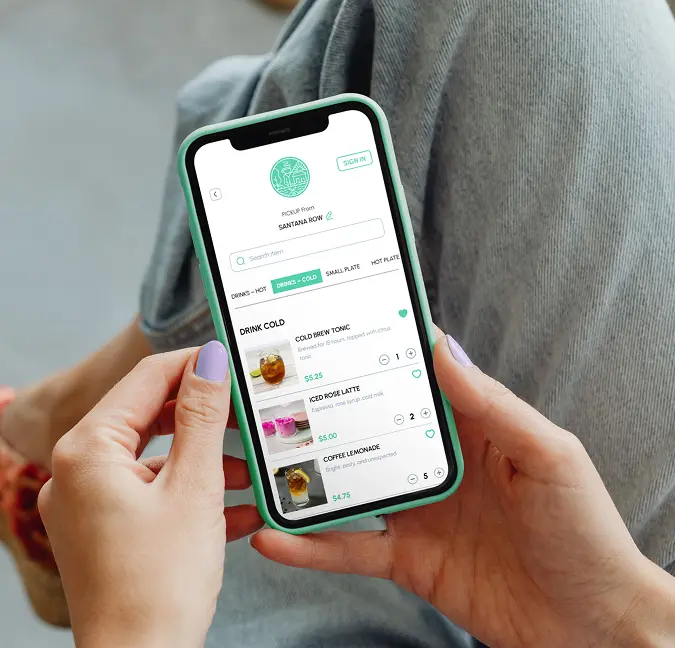
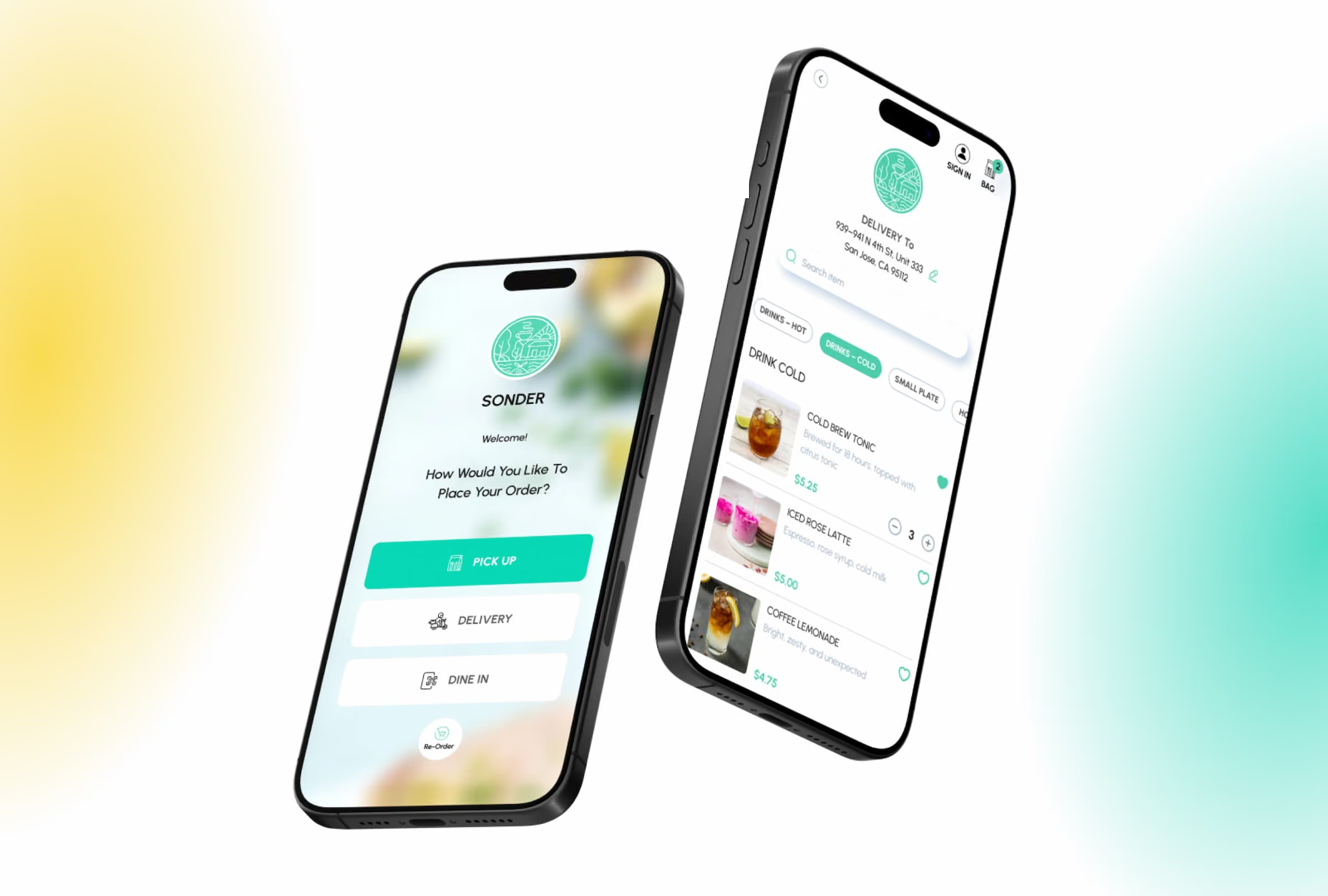
Customers can browse your menu, customize items, choose pickup or delivery, apply loyalty and rewards, pay, and help track their order. Returning customers can also save their details, reorder previous meals, earn loyalty points, and access app-only offers.
Unlike a marketplace that displays several competing restaurants, a mobile app is configured specifically for your restaurant or restaurant group. It carries your name, branding, menu, locations, and ordering options.
Depending on the provider and its features, the same solution may also be called a branded restaurant app, restaurant mobile app, custom ordering app, food ordering app, or order-taking app.
How Does A Mobile App for Restaurant Ordering Compare With Other Channels?
Fair question. Your app, website, phone line, and marketplace accounts serve different customer needs. Let’s take a look at how they fare against each other:
What Are the Benefits of a Branded Mobile Ordering App?
A mobile app for restaurant ordering creates the most value when it makes ordering easier for customers while minimizing work for your staff.
Customer And Revenue Benefits
1. Retain More Revenue From Direct Orders
Third-party marketplaces commonly charge commissions of around 15% to 30% per transaction. Direct app orders help you avoid that percentage commission, although payment processing, delivery, and software costs may still apply.
In addition, you gain access to permitted first-party information, including order history, purchase frequency, coupon use, frequently ordered items, and preferred locations.
This gives you a clearer view of who returns, what they order, and how purchasing patterns change over time, making your remarketing strategies more targeted.
2. Make Repeat Ordering Faster
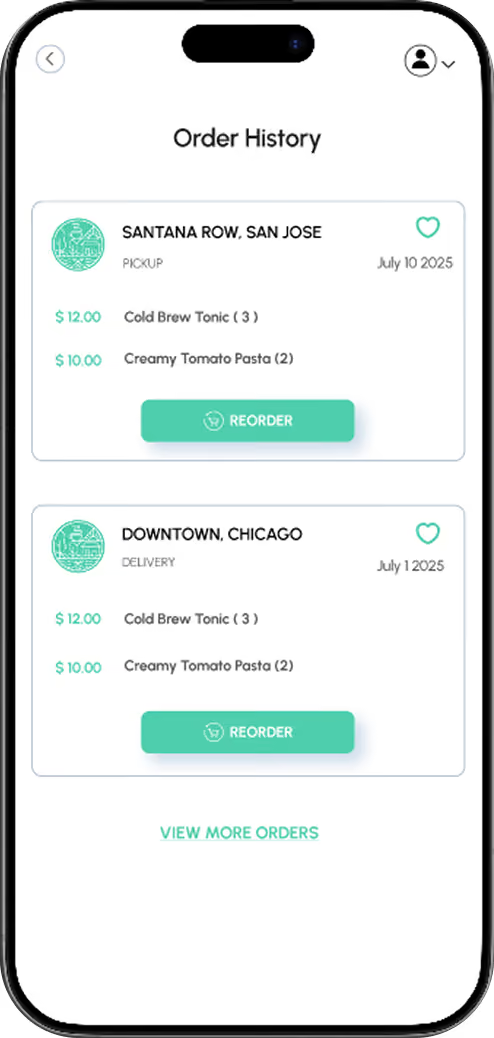
Suppose a customer buys the same coffee and breakfast sandwich twice a week. Your app can let them retrieve the previous order, change one modifier, select a saved location, and pay through a stored card, Apple Pay, or Google Pay.
Saved addresses, favorite items, previous orders, and digital wallets reduce the effort required to place the next order. Confirmations and status updates also let customers know when the order has been accepted and when it will be ready.
3. Connect Loyalty With Customer Behavior
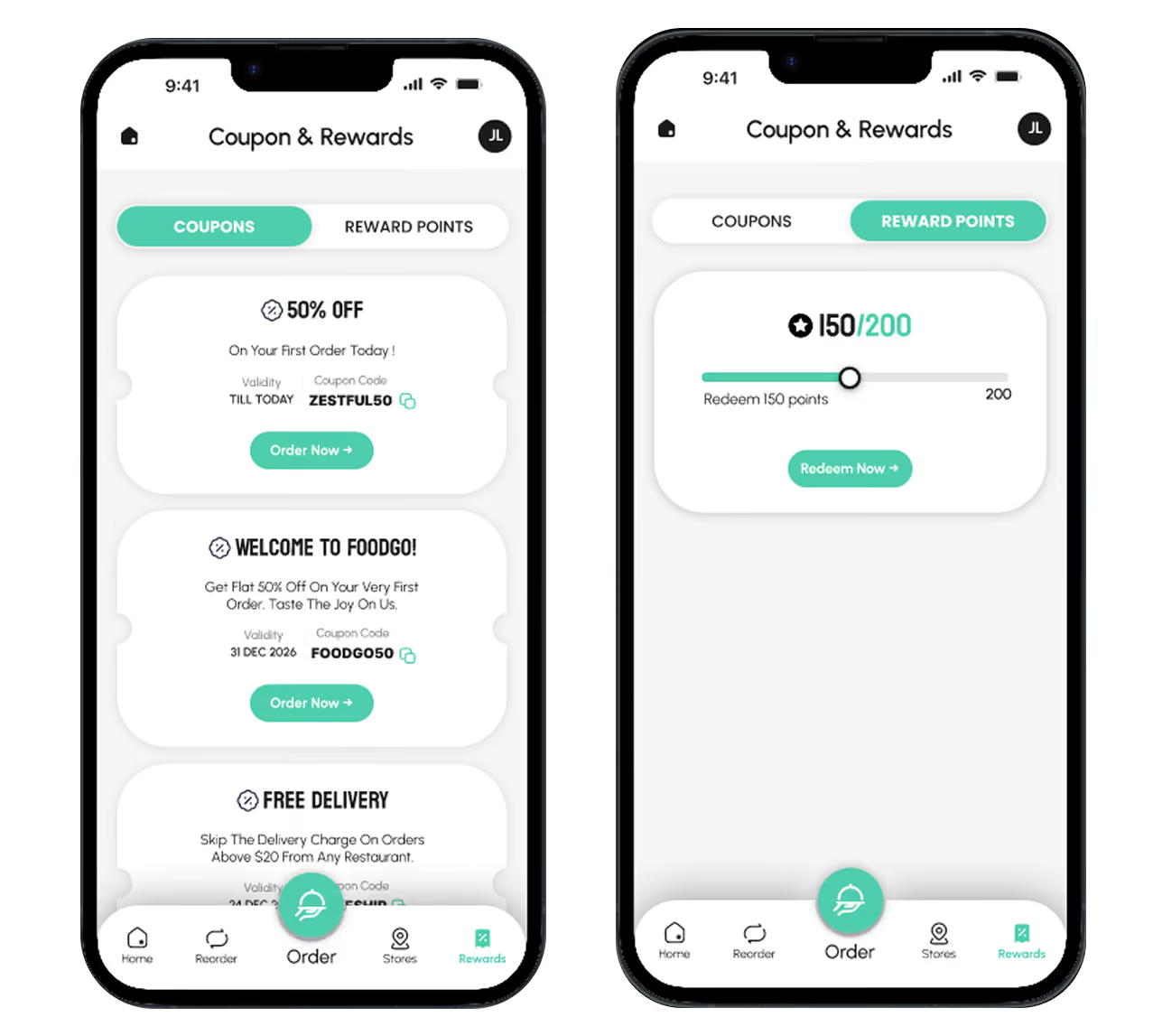
An integrated loyalty program can record points and apply rewards each time a customer orders through the app.
You could offer double points during a slower afternoon, give regulars early access to a seasonal item, or send a family-meal offer to those who frequently place larger weekend orders.
4. Increase average order value
A digital menu can recommend relevant additions before the customer checks out. For instance, a burger order might trigger an offer for fries or a drink. A pizza order could suggest garlic bread, dessert, or an upgrade to a larger size.
These prompts support upselling and cross-selling without relying on a staff member to make the suggestion. Clear categories, useful images, accurate modifiers, bundles, and daily specials can also make additional items easier to discover on your mobile ordering app.
Operational Benefits
1. Send accurate orders directly to the kitchen
A mobile app for restaurant ordering removes several manual steps between the customer placing an order and the kitchen receiving it.
Customers select the item, quantity, modifiers, and special instructions directly in the app. That information can then pass to the restaurant’s POS, kitchen display system, printer, tablet, or order-management workflow.
This reduces the need for your staff to actually listen to an order, enter it manually, and relay the details to the kitchen.
2. Keep menus and item availability current
When item names, prices, modifiers, and availability are managed centrally, your staff is less likely to show conflicting information across the app, website, POS, and kitchen.
For example, if your bakery sells the final portion of a seasonal item, you can remove it before another customer places an order. The same applies when you change a price, add an allergen note, introduce a daily special, or update availability for one location.
Accurate menu information reduces unavailable-item calls, order corrections, refunds, and customer frustration.
3. Control how much demand reaches the kitchen
Digital orders are valuable only when your kitchen can complete them at the time promised.
Let’s assume your kitchen can fulfill 25 pickup orders during a particular half-hour period. Allowing 40 customers to select the same slot can lead to delays, additional calls, refunds, and poor reviews.
Leveraging restaurant mobile app features like order-ahead scheduling, temporary pauses, preparation-time settings, and order limits gives you more control over when orders arrive.
Your kitchen can manage peak periods more effectively and provide more realistic pickup and delivery times.
Is a Mobile App for Restaurant Ordering Right for You?
According to the National Restaurant Association’s 2024 Restaurant Technology Landscape Report, 7 in 10 limited-service customers said they’re likely to place an order through a smartphone app.
However, general interest in mobile ordering doesn’t mean every restaurant needs its own app. The real question, in fact, is whether an app can shift enough repeat orders into your direct channel to justify its cost.
Therefore, a custom app may suit your restaurant when you:
- Receive a substantial number of phone or marketplace orders
- Get a significant share of orders from returning customers
- Operate several locations
- Run a loyalty program
In these situations, saved orders, stored payment methods, loyalty rewards, and faster checkout can give customers a practical reason to use the app.
A branded mobile app may be harder to justify when:
- Direct-order demand is limited
- Most of your customers visit occasionally
- Your restaurant is still struggling with inaccurate menus and unreliable fulfillment
Adding another ordering channel won’t correct those problems. A fast, mobile-friendly ordering website may be the better investment until repeat demand grows.
Which Branded Mobile Ordering App Features Should You Prioritize?
Now that you know what would make an app worthwhile for your restaurant, use the table below to identify the capabilities you need and the questions to ask before choosing an ordering platform:
Also ask the restaurant mobile app builder how it handles refunds, failed payments, canceled orders, downtime, app updates, customer support, and processing fees.
Will a Branded Restaurant App Pay for Itself?
For most restaurants, the answer comes down to a simple comparison: how much are you paying marketplaces today versus what it would cost to own your own app?
Let's look at an example.
Let's assume 100 orders come through a marketplace
- Average order value: $20
- Monthly orders: 100
- Monthly sales: $2,000
If the marketplace charges a 30% commission, your restaurant pays:
$2,000 × 30% = $600 per month
Over a year, that's:
$600 × 12 = $7,200
If those same orders come through your own branded app
Instead of paying commissions on every order, you pay a fixed software subscription.
For example:
- Mobile app subscription: $49 per month
Over a year, that's:
$49 × 12 = $588
From this example, it's clear that you'd spend $600 on marketplace commissions in just one month, compared to only $588 to own your branded app for an entire year.
How quickly can your app pay for itself?
Let's use the same example:
- Monthly app subscription: $49
- Average order value: $20
- Marketplace commission: 30%
Every order shifted from a marketplace to your own app saves approximately:
$20 × 30% = $6 per order
To recover your monthly app subscription:
$49 ÷ $6 = 8.2 orders
You would need to move approximately 9 marketplace orders per month to your own branded app for it to pay for itself.
If your average order value is higher than $20, or your marketplace commission is above 30%, you'll recover your investment even faster.
Note: This example is for illustration only. Your actual savings will depend on your average order value, marketplace commission rates, software subscription, delivery costs, and any additional operational expenses.
Ready to Launch a Mobile App for Restaurant Ordering? Think Restolabs.
Moving from a good idea to a working app comes down to execution: accurate menu data, compatible integrations, careful testing, and a clear app-store submission process.
Restolabs provides commission-free direct online ordering through branded web ordering, with a branded iOS and Android app available as an optional add-on.
Your restaurant keeps its name, menu, branding, and customer relationship at the center of the ordering experience, while Restolabs supports the technical setup required to launch the channel.
Payment-processing charges and fees from external delivery providers may still apply, but Restolabs does not take a commission on orders placed directly through your ordering channels. Here’s what else you get when you choose Restolabs:
- Launch with less technical work through white-glove onboarding and ongoing 24/7 support.
- Serve more customers with multilingual ordering available in more than 10 languages.
- Accept payments your way through support for more than 50 payment gateways.
- Test the platform before committing with a 30-day free trial that does not require a credit card.
- Expand beyond mobile ordering with website, QR dine-in, curbside, catering, and delivery tools managed through the same platform.
Book a Restolabs demo to see how the platform would work with your menu, locations, payment setup, delivery model, and existing restaurant systems.

Asavari drives content development at Restolabs. With over a decade of experience partnering with fast paced technology and marketing teams, she turns complex product and industry details into clear, meaningful communication for restaurant partners.
Frequently Asked Questions
There’s no single best app for every restaurant. The right choice is the one that improves the orders you receive most often without creating extra work for your staff. A café may prioritize saved orders, loyalty, and fast checkout. A multi-location restaurant may need location-specific menus, order routing, permissions, and centralized reporting. Before choosing a platform, test how it handles your actual workflow, including modifiers, unavailable items, payments, kitchen routing, delivery, refunds, and failed orders. Restolabs is one option for restaurants looking for a branded iOS and Android app connected to direct ordering, loyalty, menu management, delivery, and supported POS systems. Compare its integrations, fees, and operational fit with your current setup before deciding.
A straightforward branded app can launch within a few days once your menu, branding, payments, and business details are ready. POS connections, delivery integrations, multiple locations, and testing can extend the process to one to two weeks or longer. App-store review adds the final step. Apple reports that 90% of submissions are reviewed within 24 hours, though requested changes or resubmissions can delay approval.
Look beyond downloads and track whether the app is generating first orders, repeat purchases, higher order values, and a growing share of direct orders. You should also monitor refunds, remakes, missing items, preparation times, and delivery performance. Review these numbers monthly. If one weakens, examine the part of the ordering process connected to it, such as registration, checkout, reordering, loyalty offers, menu setup, POS routing, kitchen capacity, or delivery management.
Yes. One branded mobile ordering app can support multiple locations with location-specific menus, prices, hours, delivery zones, promotions, order routing, permissions, and reporting, without requiring a separate app for each location.





.webp)

.svg)
.webp)